Work/Collga
Collga, a government operating platform
An e-government platform designed in 2020 for Nigerian state and local governments. Sixteen systems across federal, state and local tiers, on one design system, with Odeda Local Government, Ogun State, as the pilot.
- Client
- Newage Solution
- Pilot
- Odeda Local Government, Ogun State
- Industry
- Digital governmentPublic sector
- Role
- Product and service designer
- Services
- Service designInformation architectureUX and UI designDesign system
- Timeline
- 2020
- Status
- Concept
What was designed
- Who it servesCitizens, businesses and administratorsThree account types behind one login
- What it coversSixteen systems across three tiers of governmentFederal, state and local, on one shared platform
- ServicesTwenty-one e-services in nine categoriesEach with its fee, requirements and generated form
- ChannelsWeb, USSD, a ward agent and voiceEnglish, Yoruba, Hausa, Igbo and Nigerian Pidgin
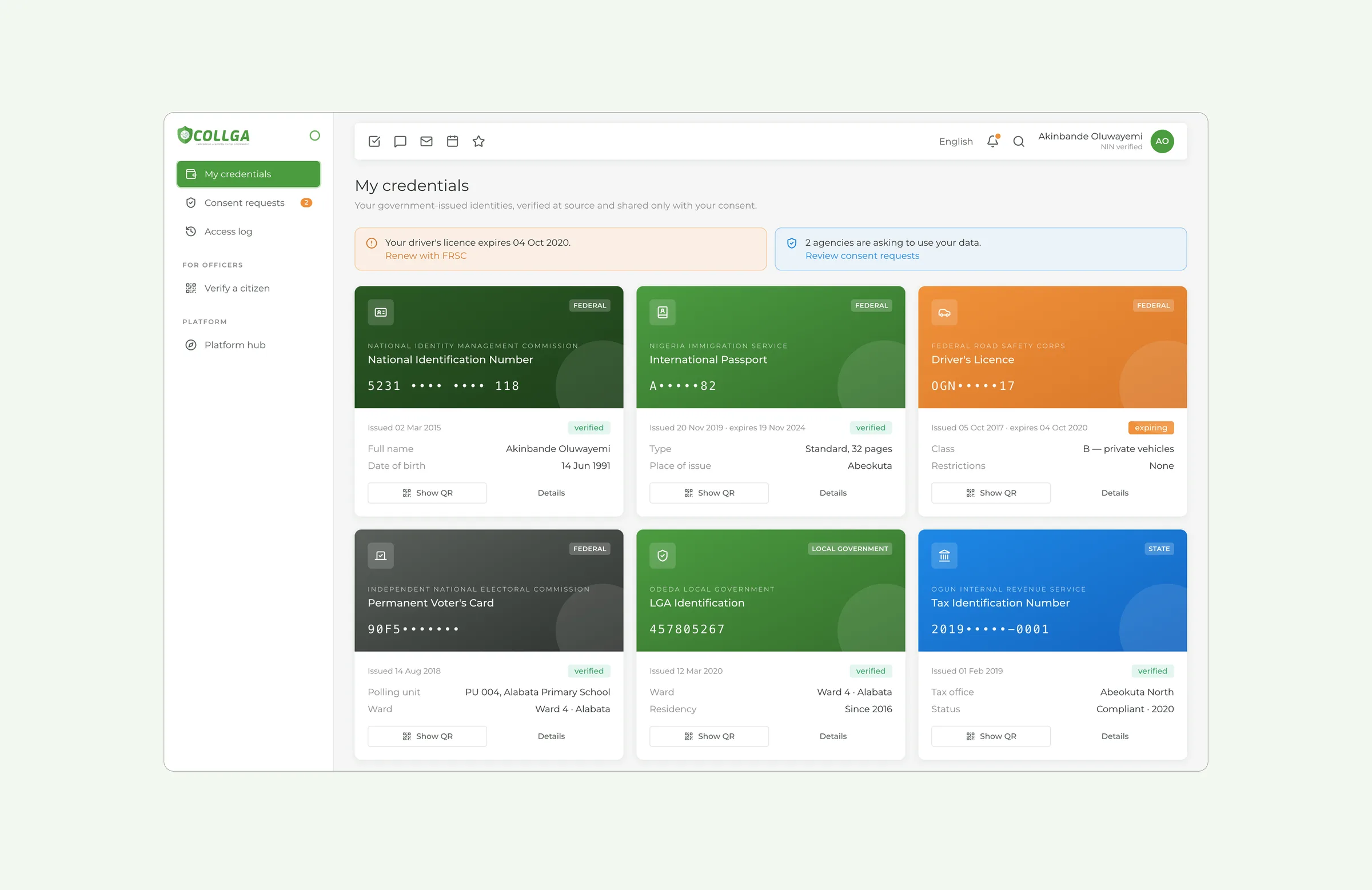
- IdentitySix credentials in a consent walletAgencies ask before they read, and every read is logged
- The pilotOdeda Local Government, Ogun StateEvery screen is set in the 2020 pilot year
Where it started
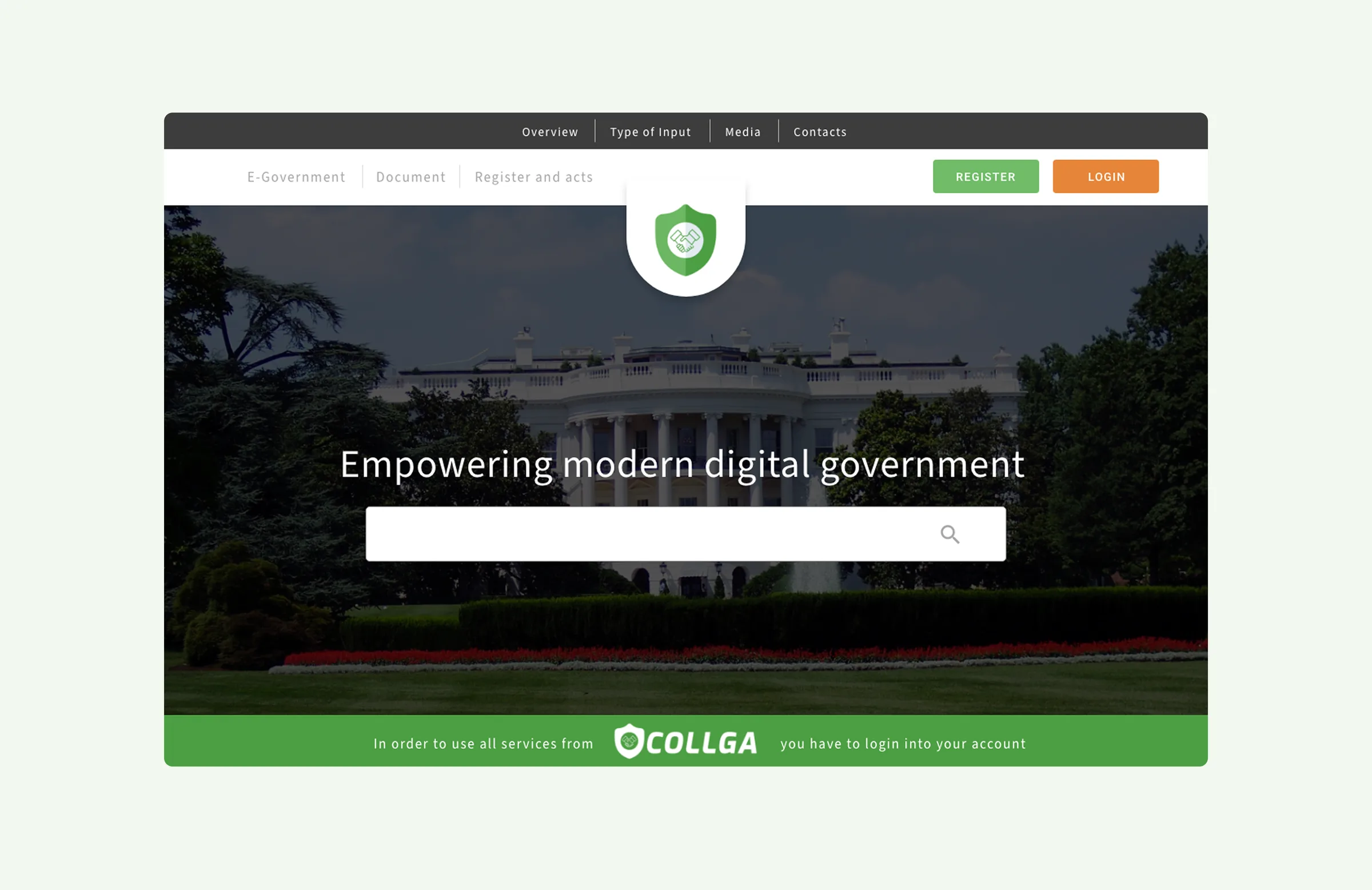
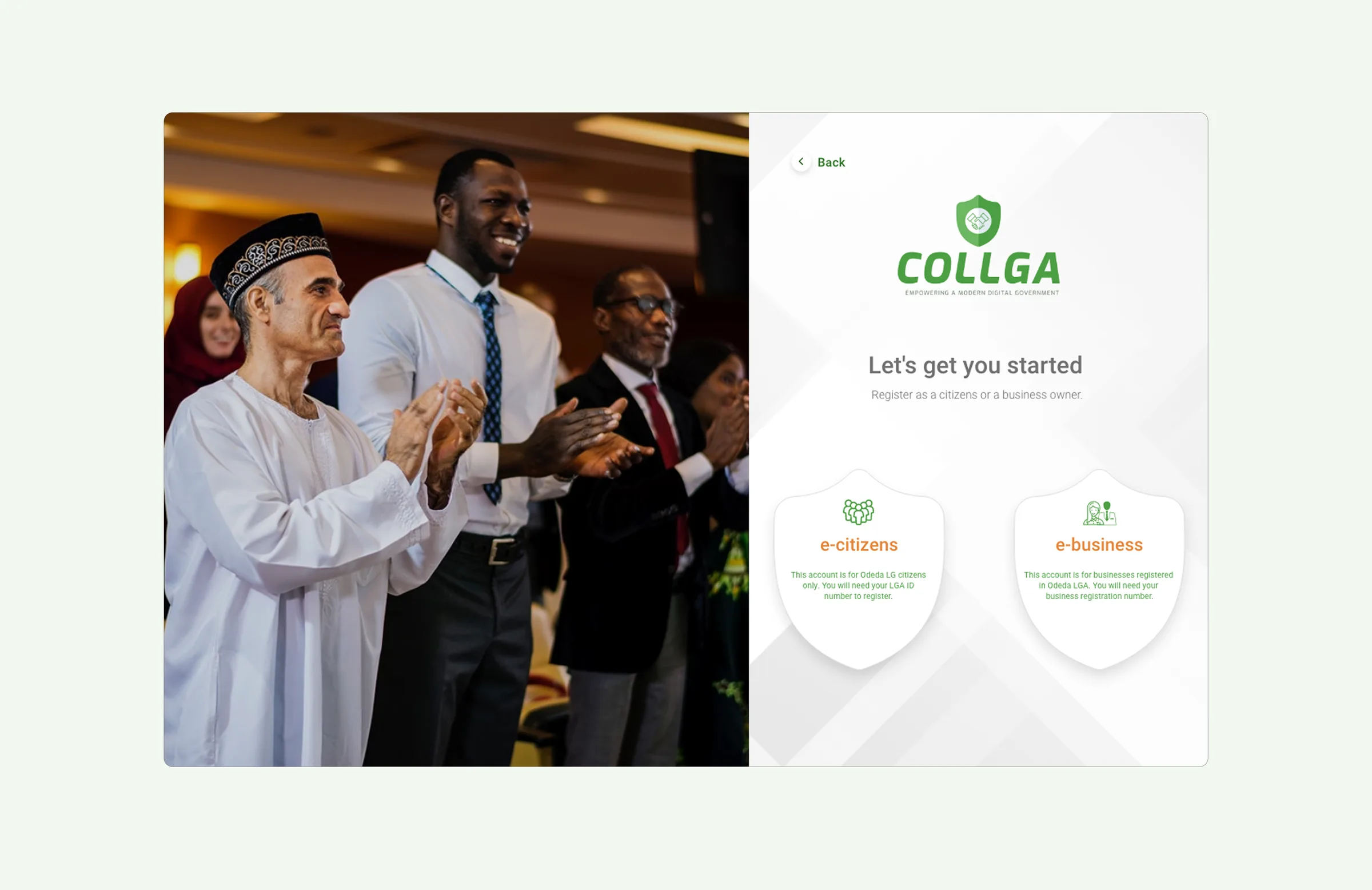
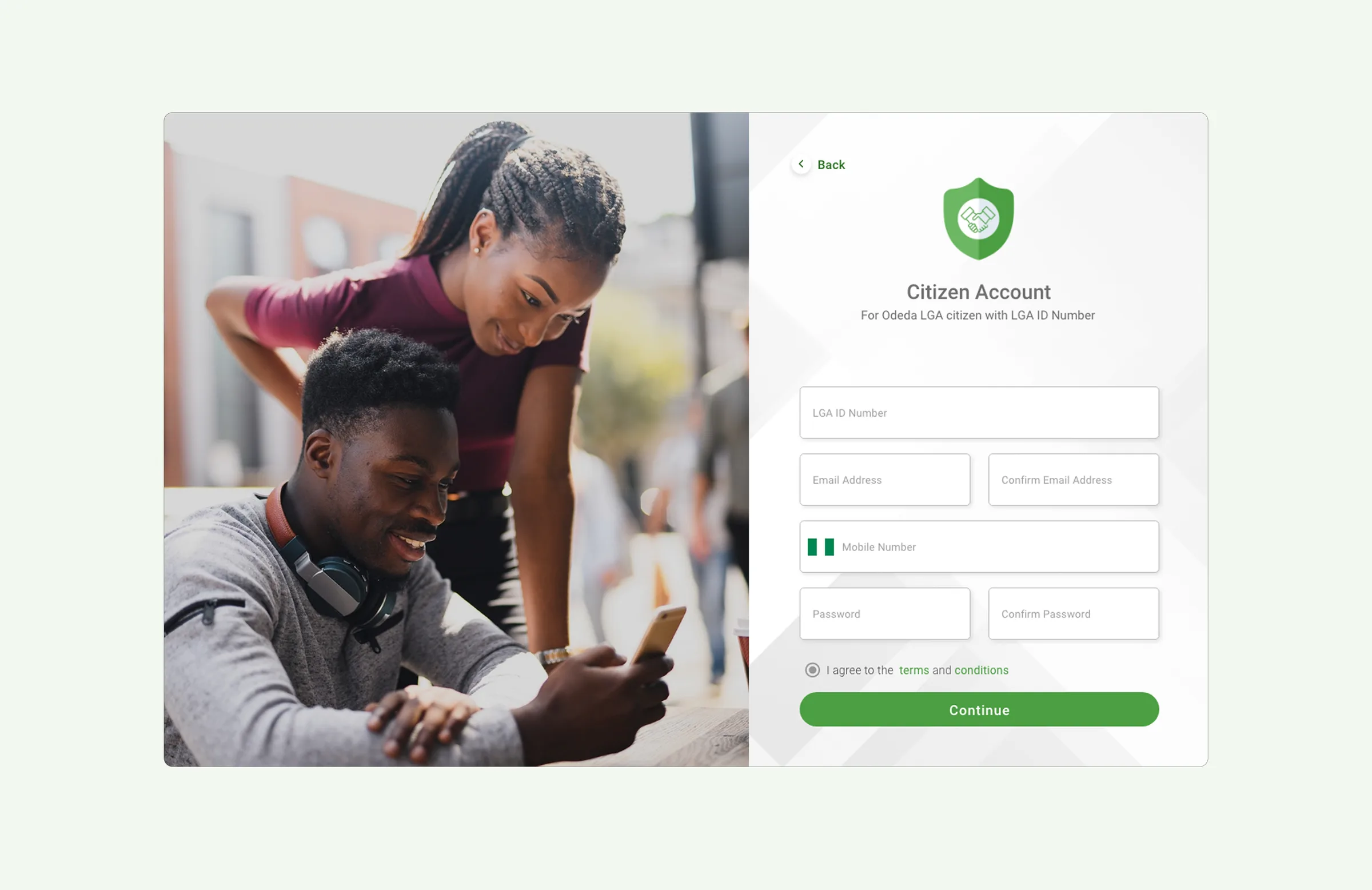
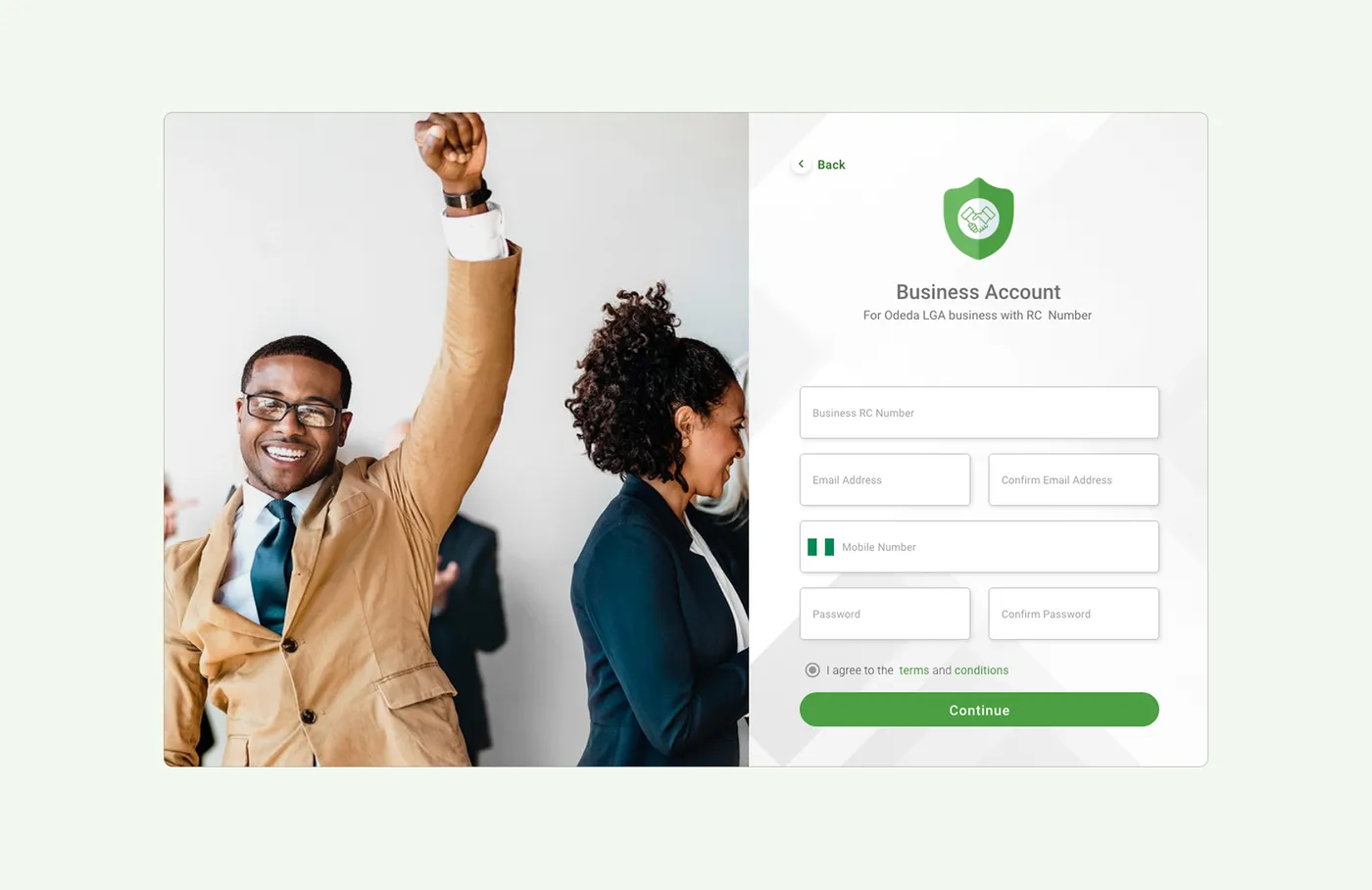
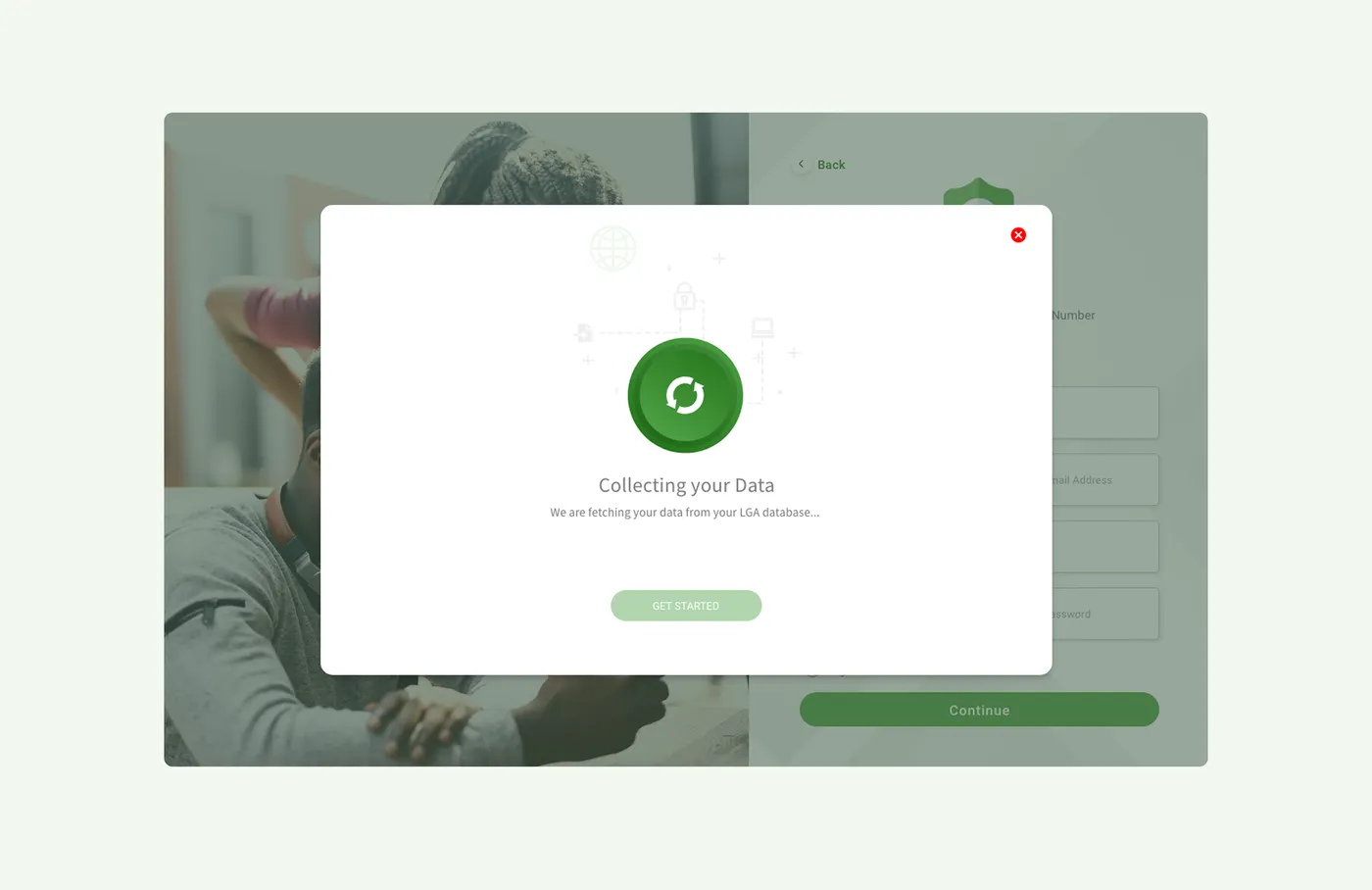
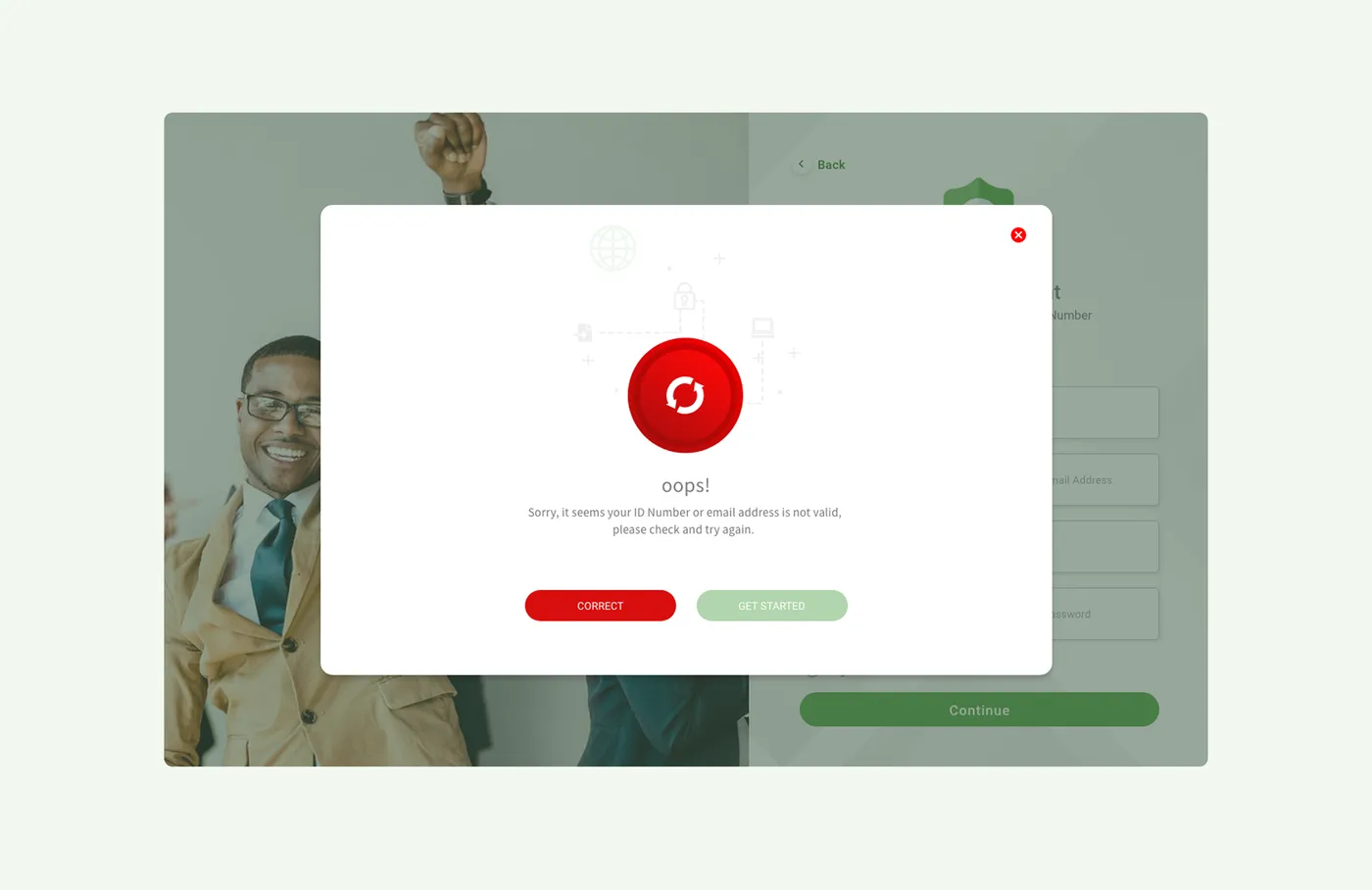
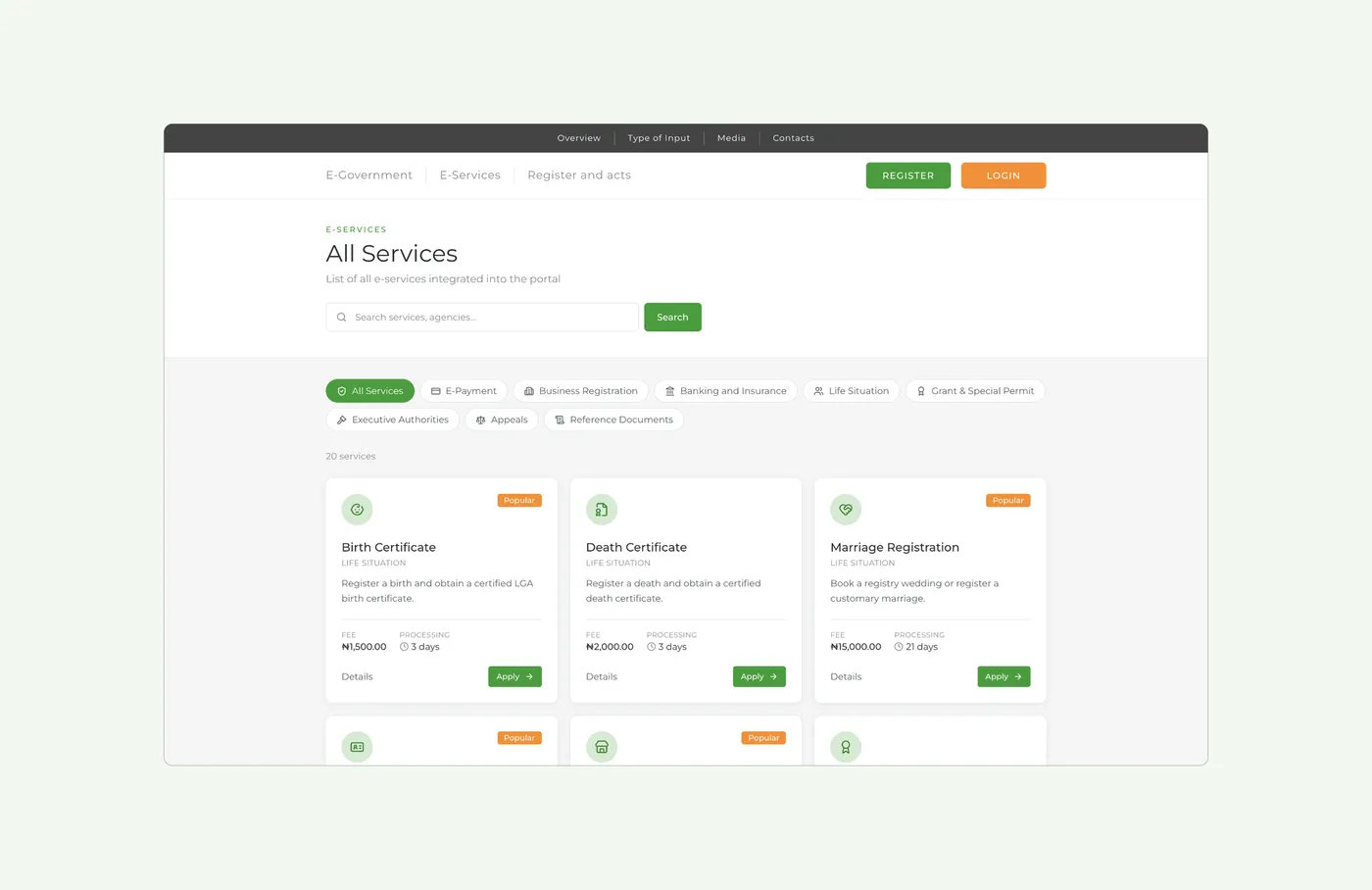
Designed in 2020 for Nigerian state and local governments, with Odeda Local Government as the pilot. The first screens are the ones a citizen sees first: a public home page, one login for every service, and registration checked against the LGA register.
The real problem: agencies that do not share records
Most services involve several agencies, each with its own records. To register a business, you deal with three of them, each with its own form, its own queue and its own copy of your details. Collga was designed to bring them together, and the board below shows how many services it had to cover.
Twenty-eight of the services it holds, from a ward desk to the Office of the Governor
Four rules for sharing data safely
Most of the platform's key features come from these four rules.
Enter data once
A detail is typed once, and every step that needs it reuses it in plain sight.
Share only with consent
An agency asks first, naming the fields, the duration and the legal basis.
Log every access
Every time an agency opens a record, it is logged where the citizen can see it.
Check claims against measurements
What an agency reports is shown next to what was measured on site.
Sixteen systems, grouped by the tier that owns them
A platform hub connects them, so an administrator can see every system on one screen.
- Life-Event Journeys
- National ID and Consent Wallet
- Freedom of Information
- Internal Revenue Service
- Public Procurement
- Governor's Delivery Dashboard
- Physical Planning
- Social Investment Registry
- Citizen and Business Portal
- Admin Control Panel
- E-Services Catalogue
- Land and Property Registry
- Business Registry
- Assisted Digital and Inclusion
- Design System
- Government Data Exchange
Five key design decisions
Enter once, reuse with consent
Citizens type a detail once, and every later step can reuse it where they can see it. Each reuse needs their consent, and they can withdraw it at any time.
Privacy people can see
ID numbers stay masked, and officers see only what they need. Someone checking age sees over 18, not a date of birth. The screen shows what was shared and what was held back.
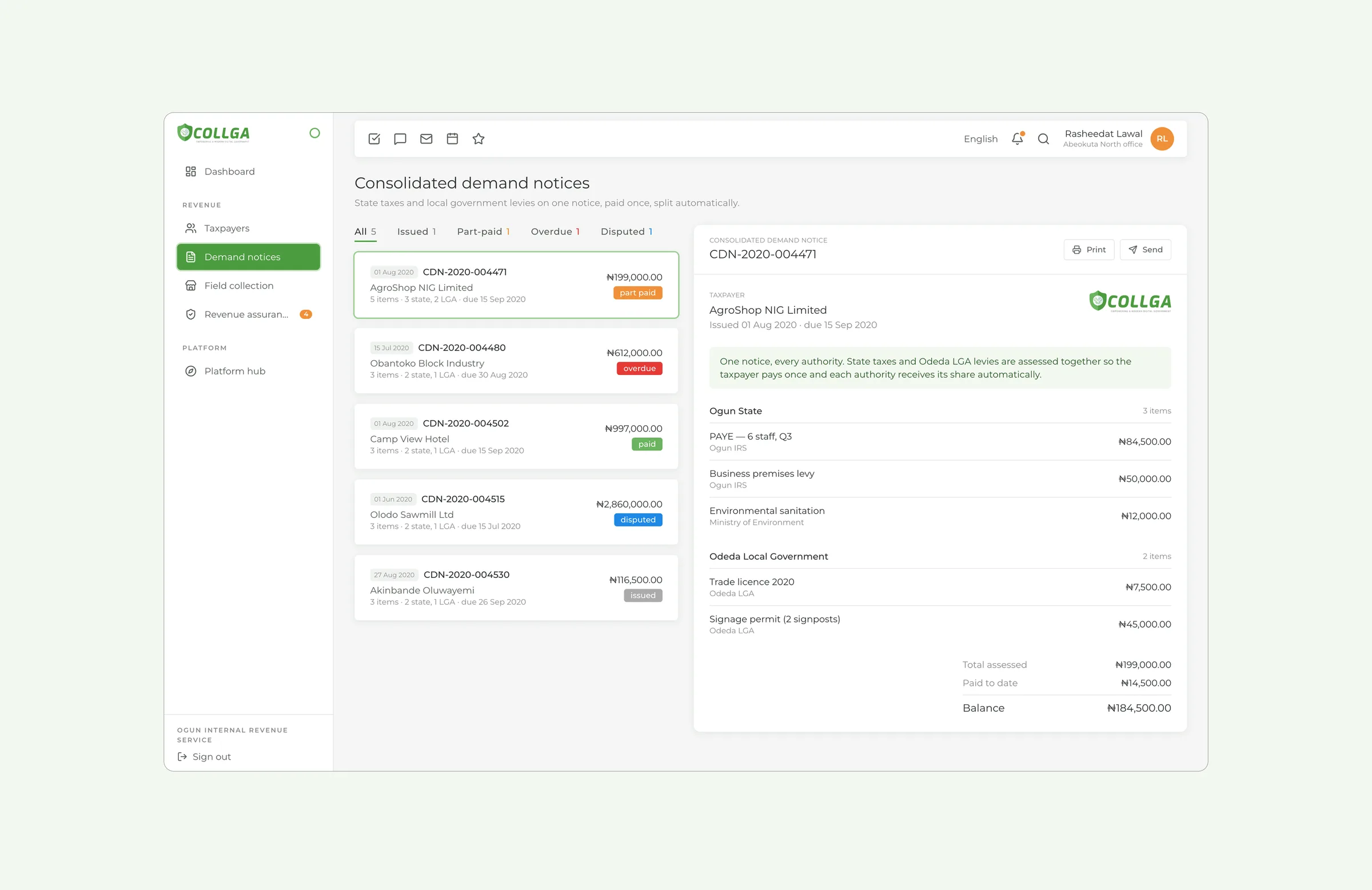
One notice, every authority
State taxes and local levies on one notice. A business pays once and each authority gets its share automatically, instead of being assessed twice for the same year.
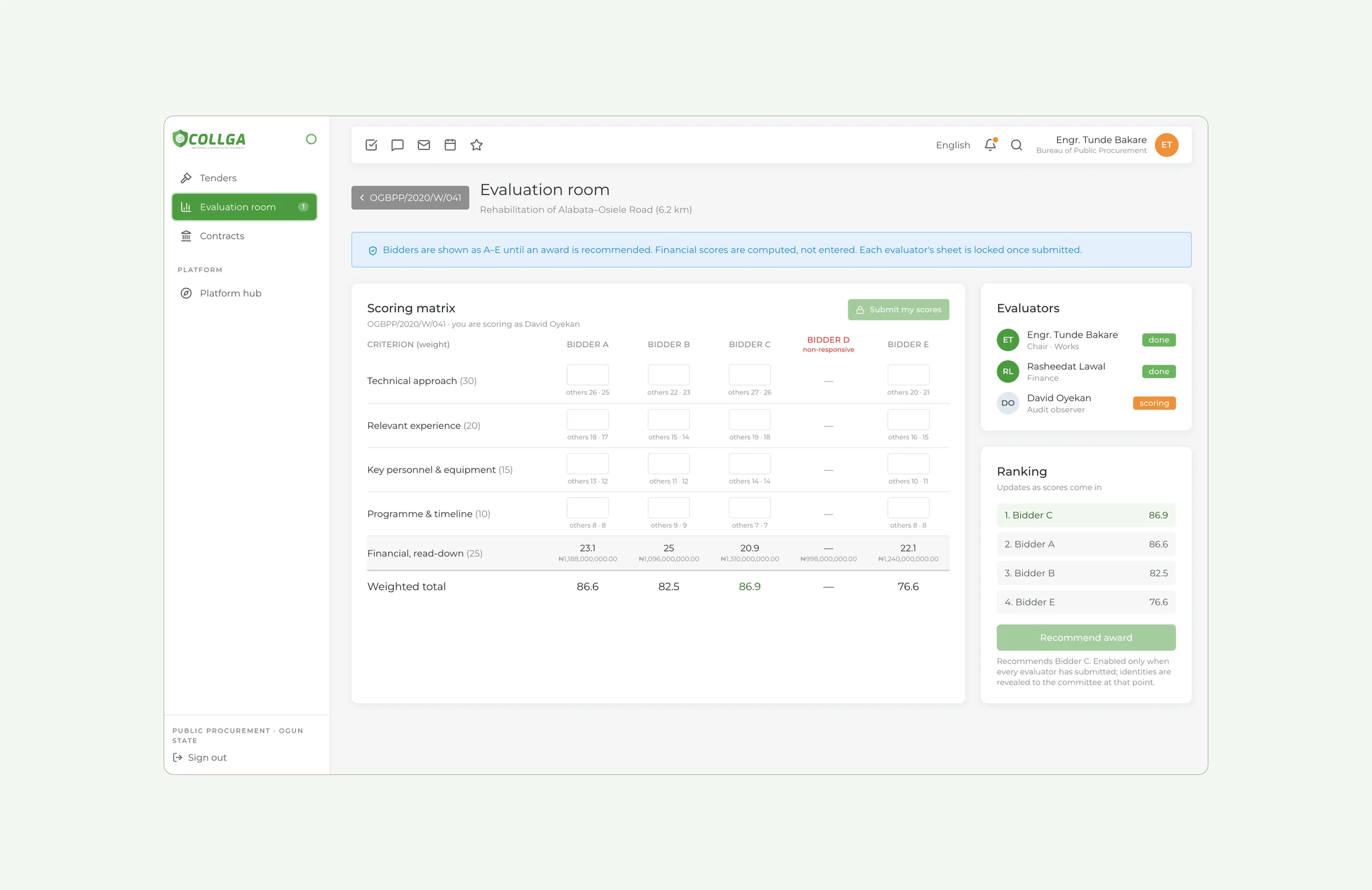
Fairness built into the flow
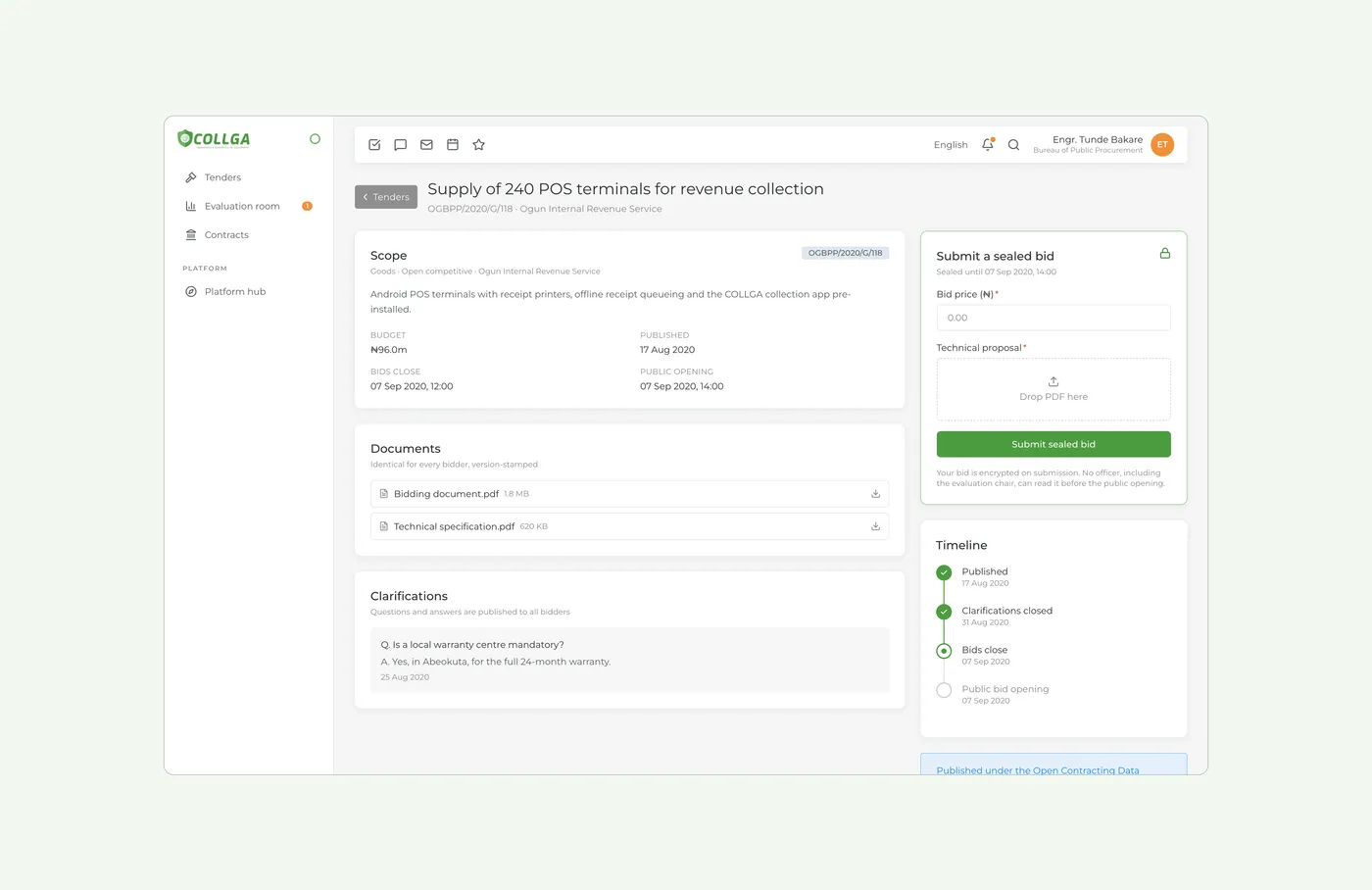
Bids stay sealed until the public opening, bidders are anonymised, financial scores are computed, and the award button stays off until every evaluator has submitted.
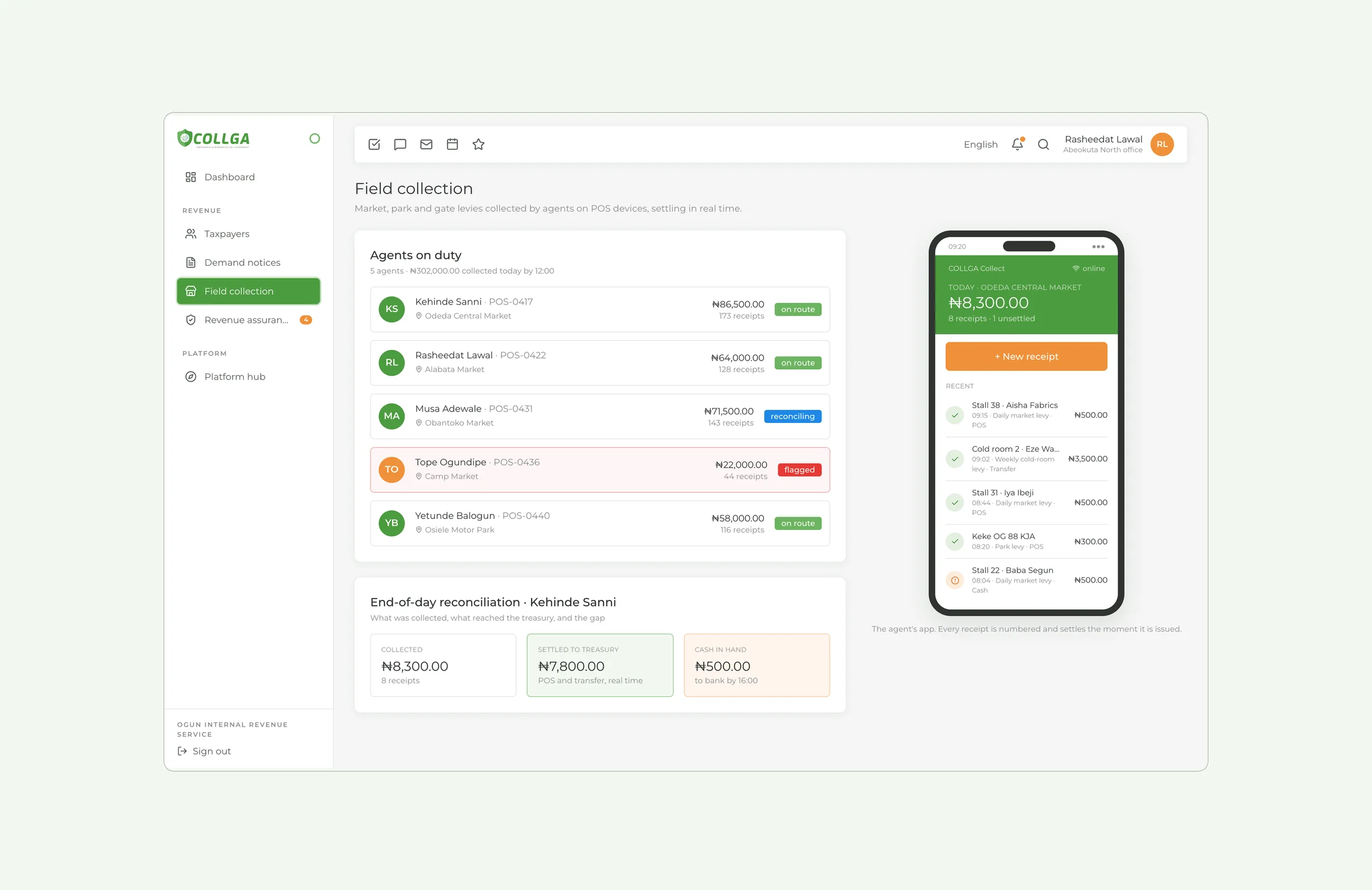
Every channel counts the same
Citizens choose how they use a service. A receipt from an agent at a market stall has the same number and the same value as one from the website.
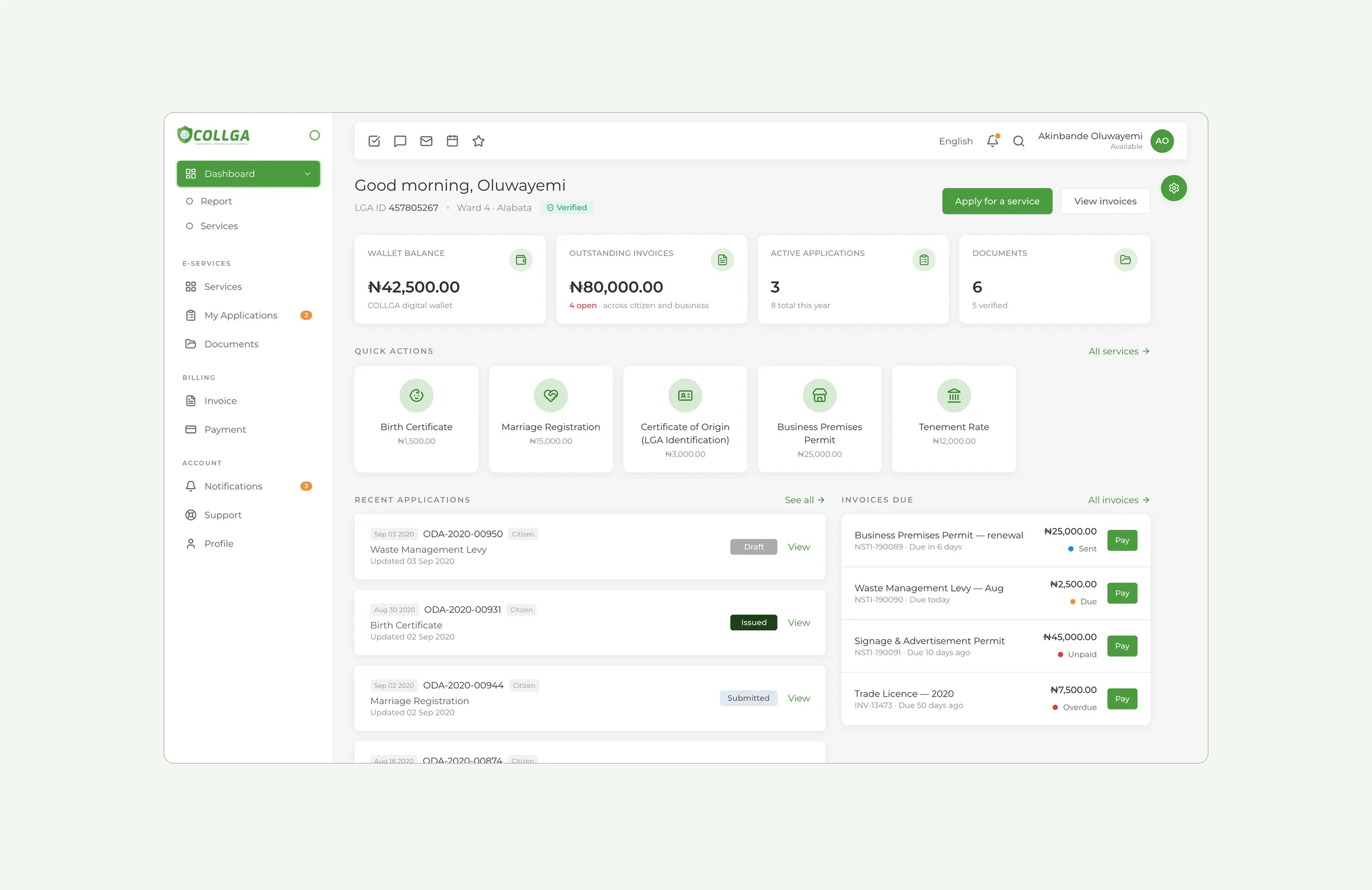
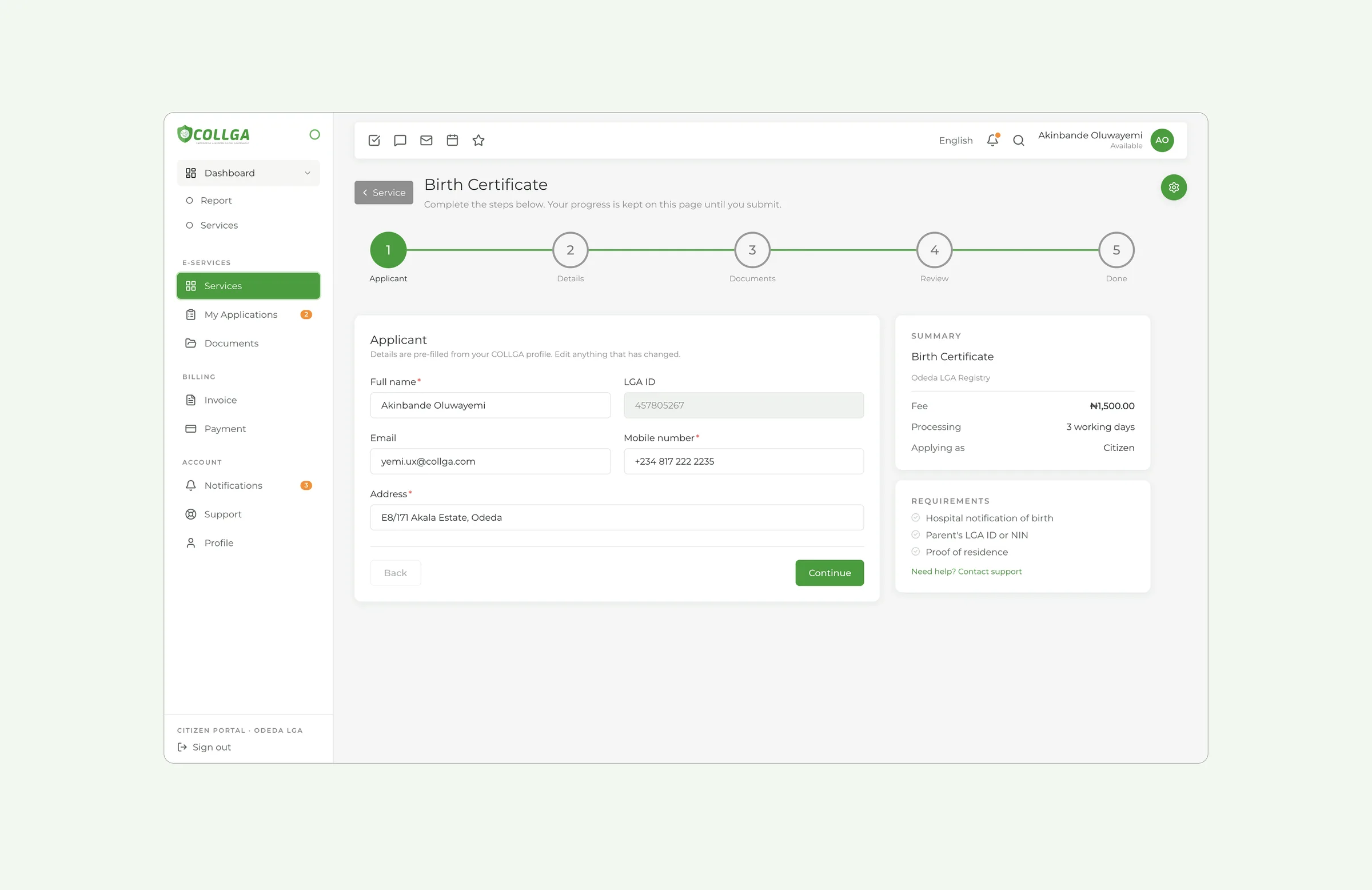
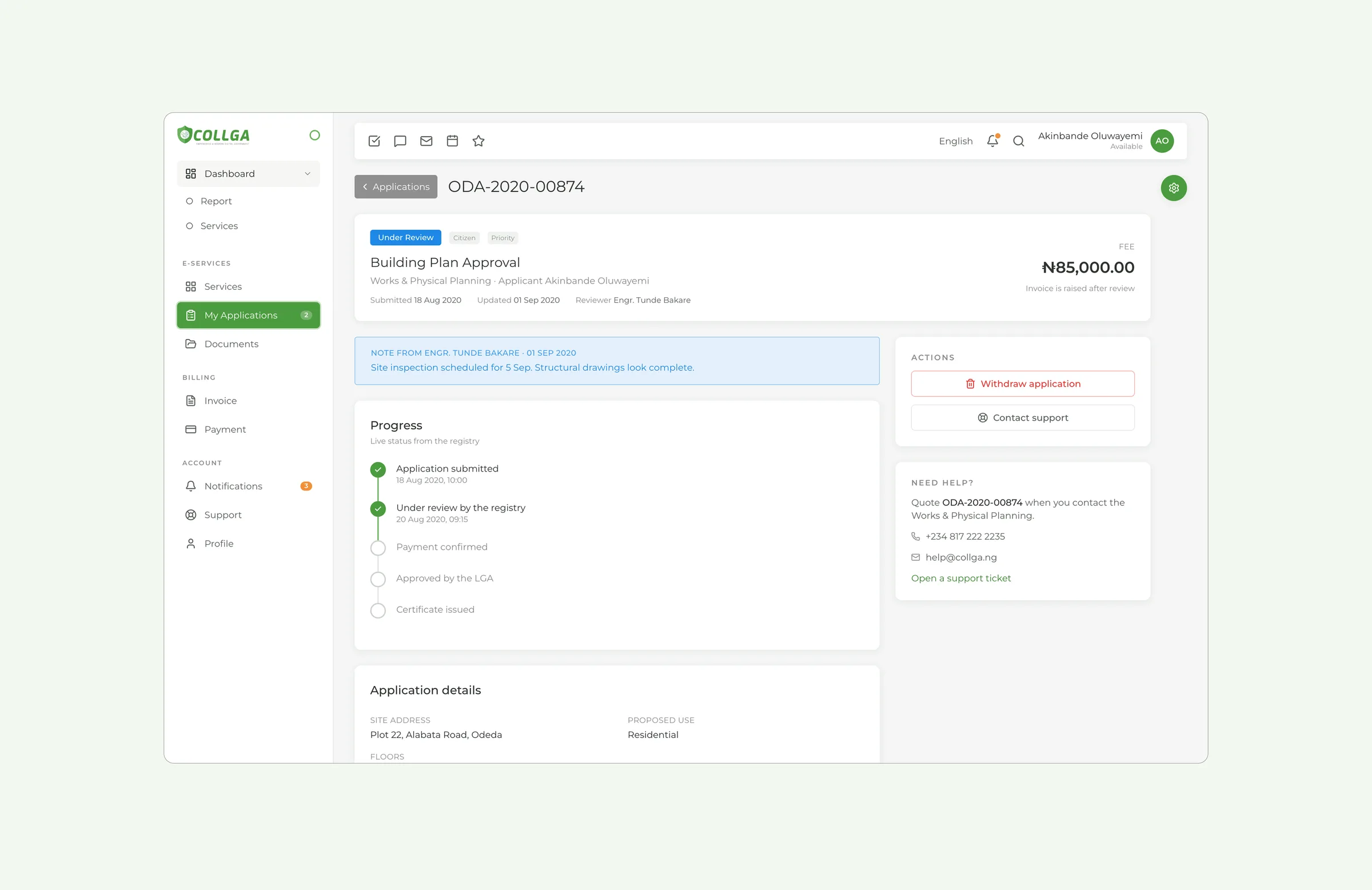
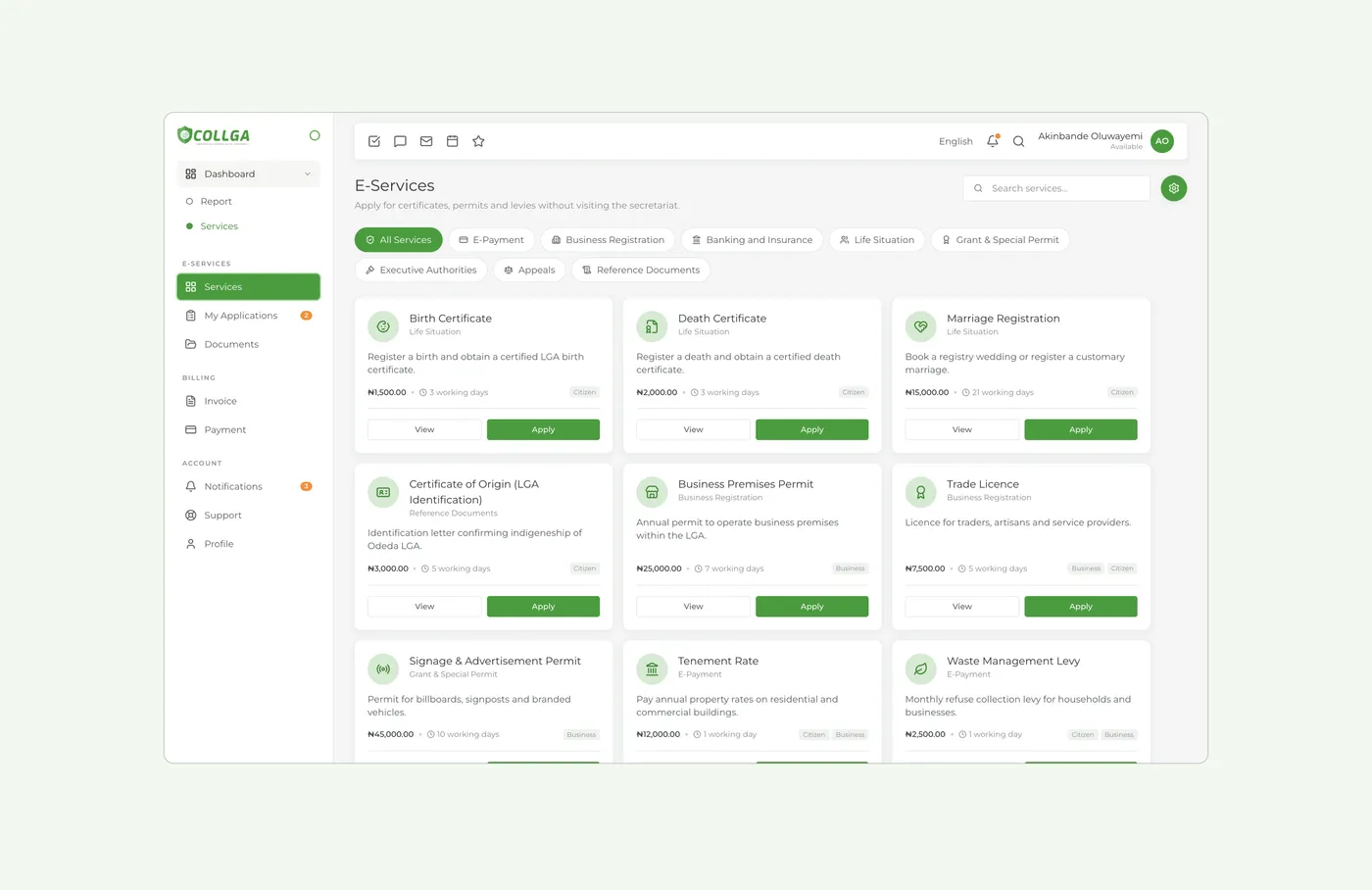
Citizen and Business Portal
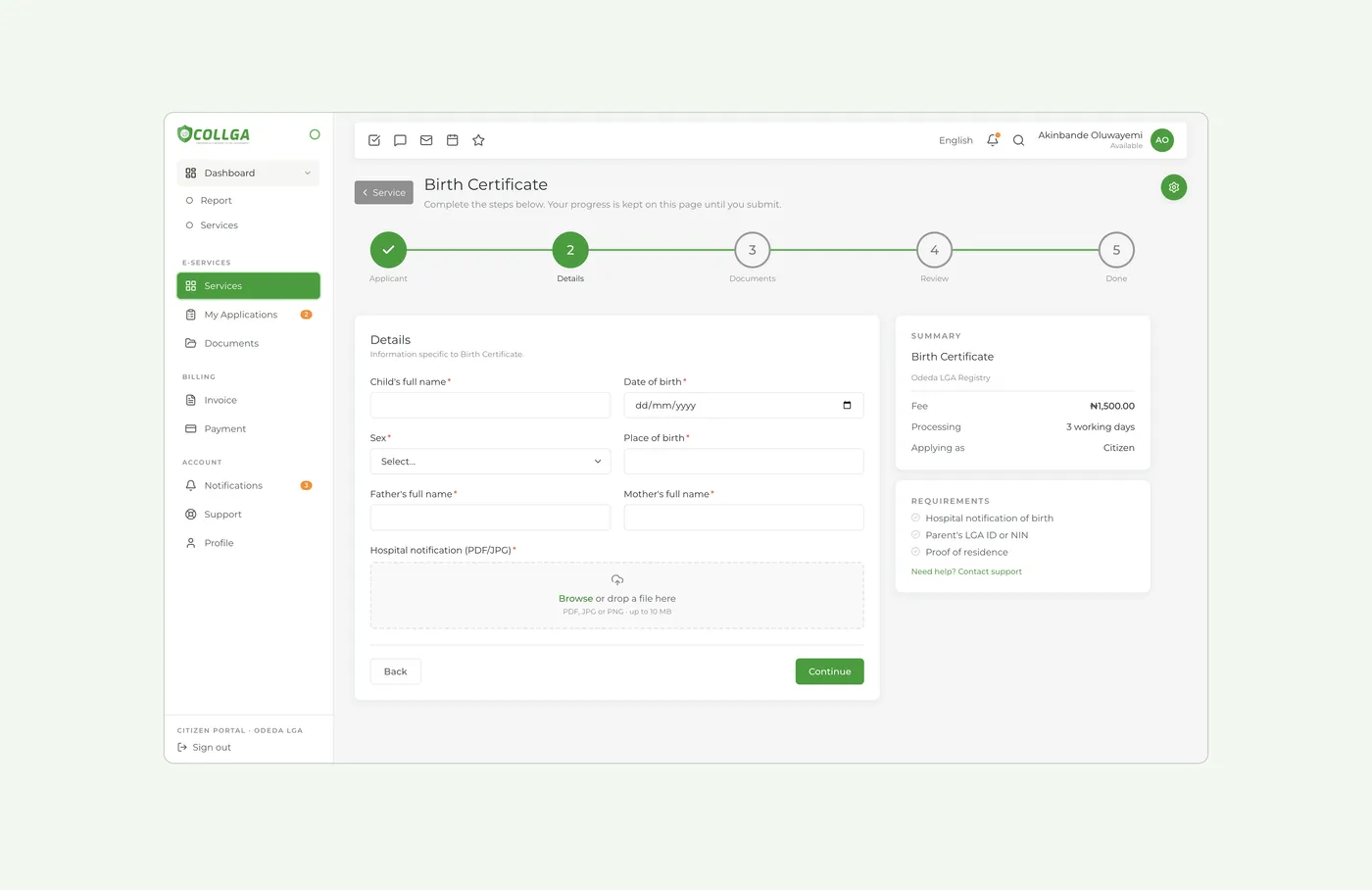
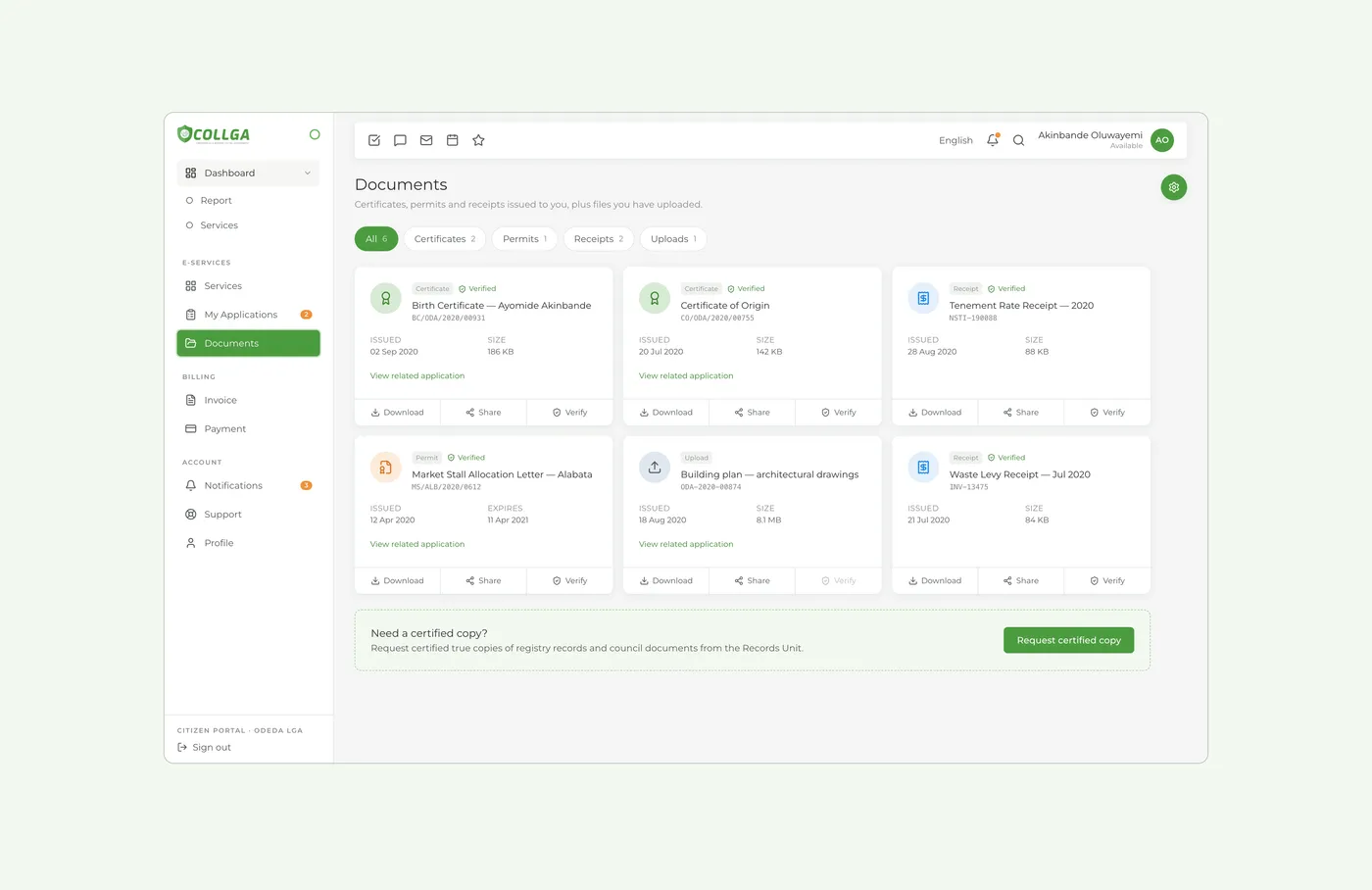
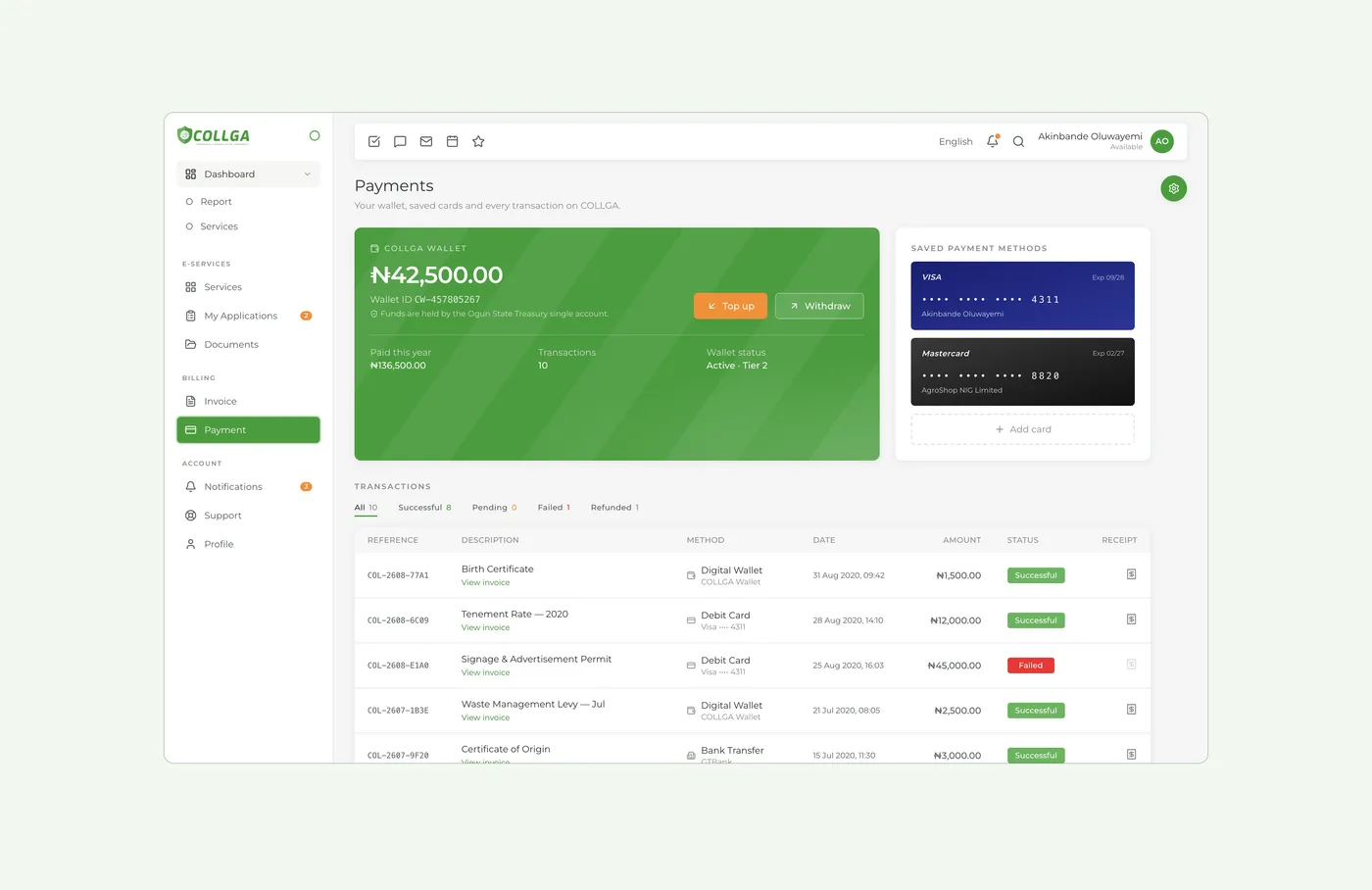
Where residents and businesses apply, pay levies and track applications. Twenty-one services, a five-step wizard, a live timeline, and a vault for every document issued.
Admin Control Panel
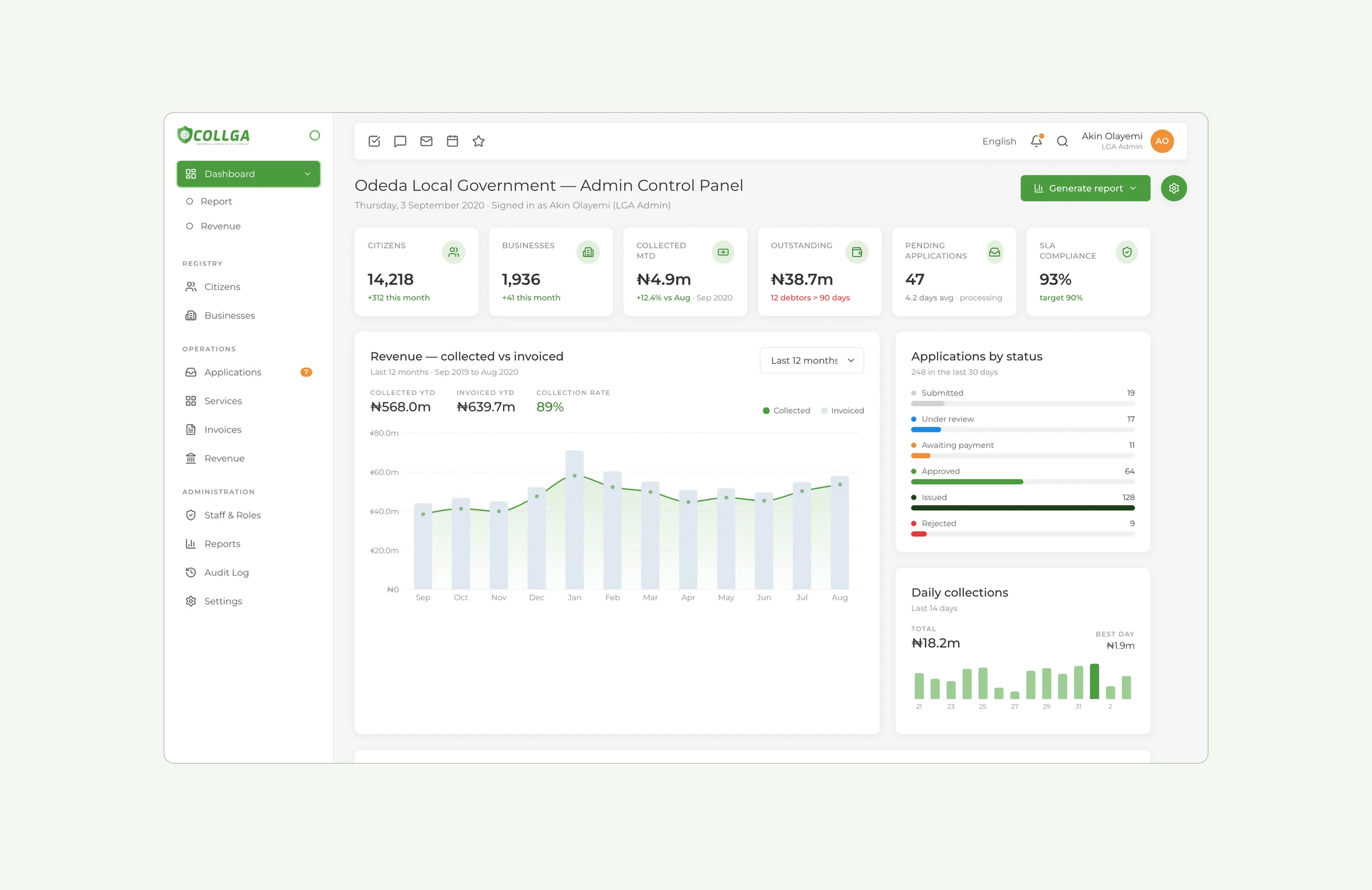
The staff side of the portal: a review queue with assignments and service levels, registries, revenue reports, and staff roles.
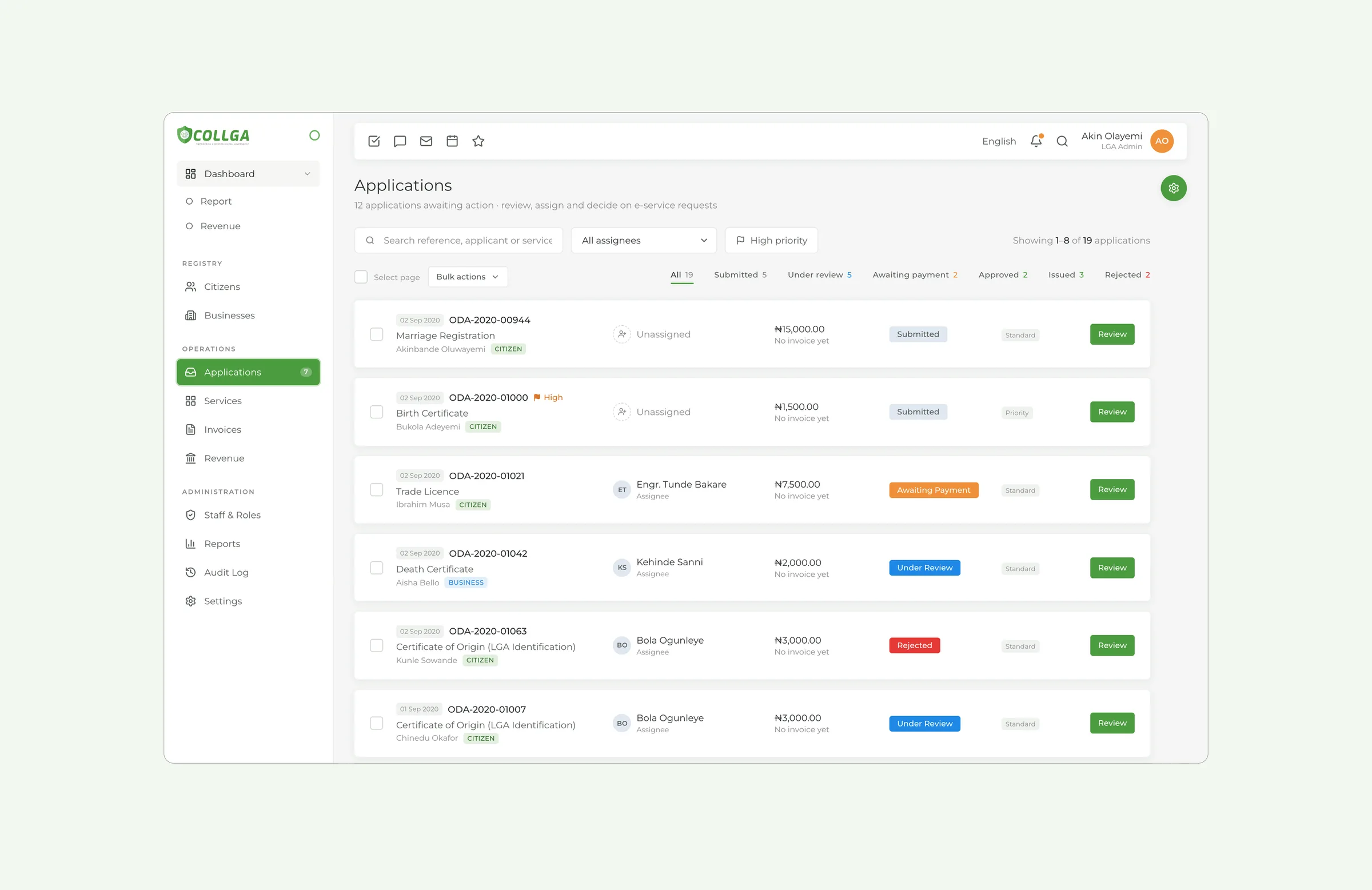
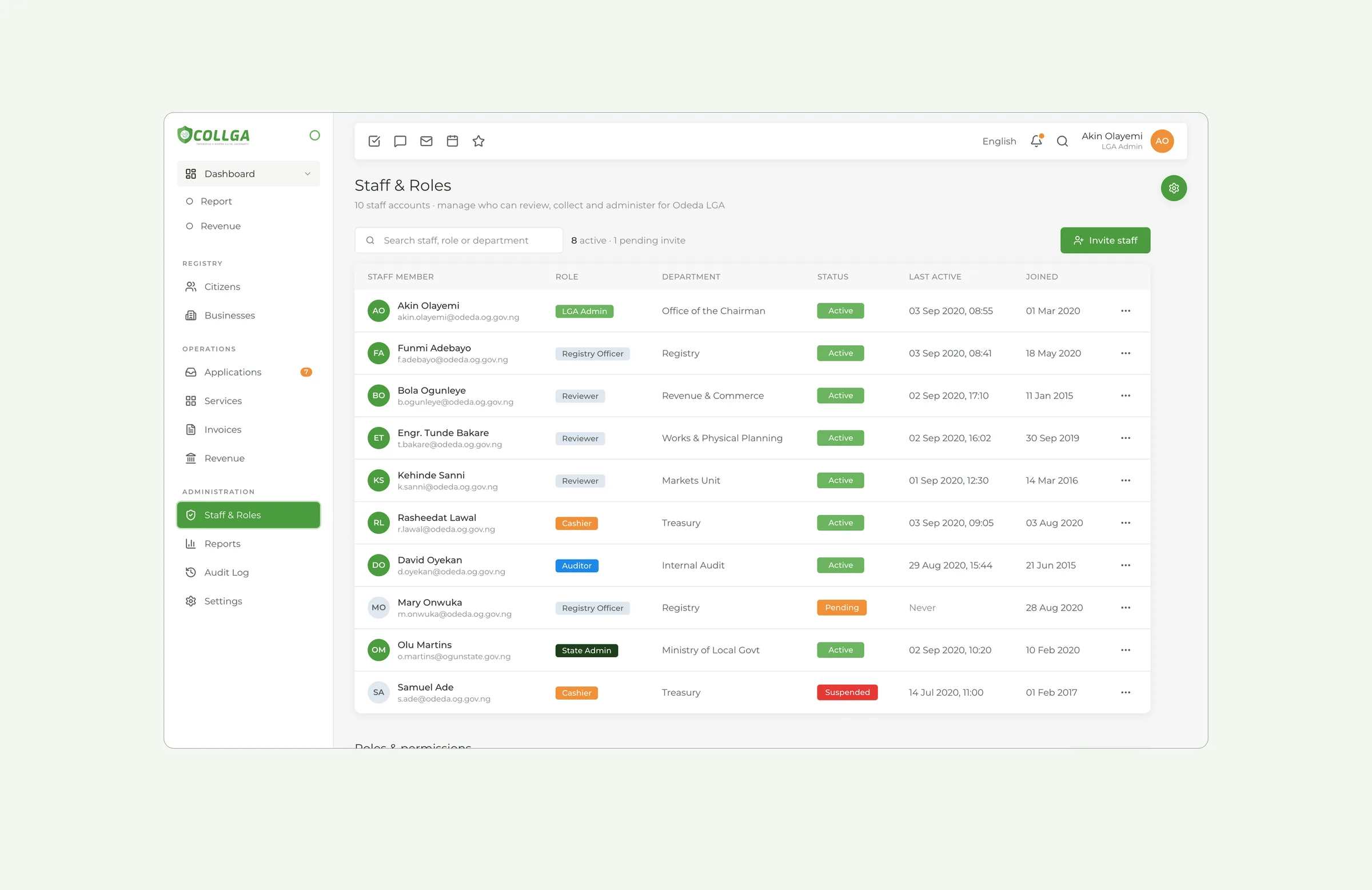
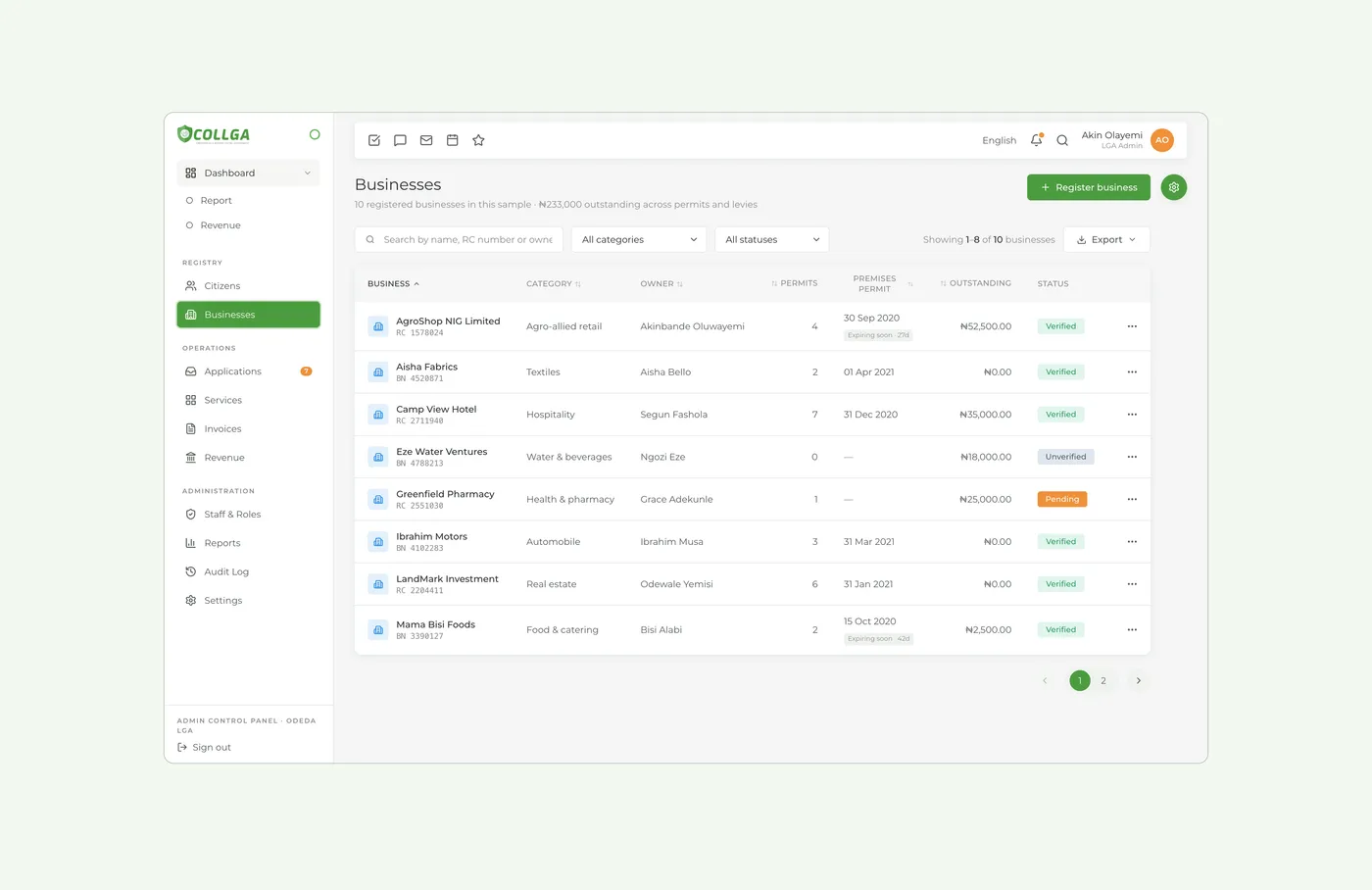
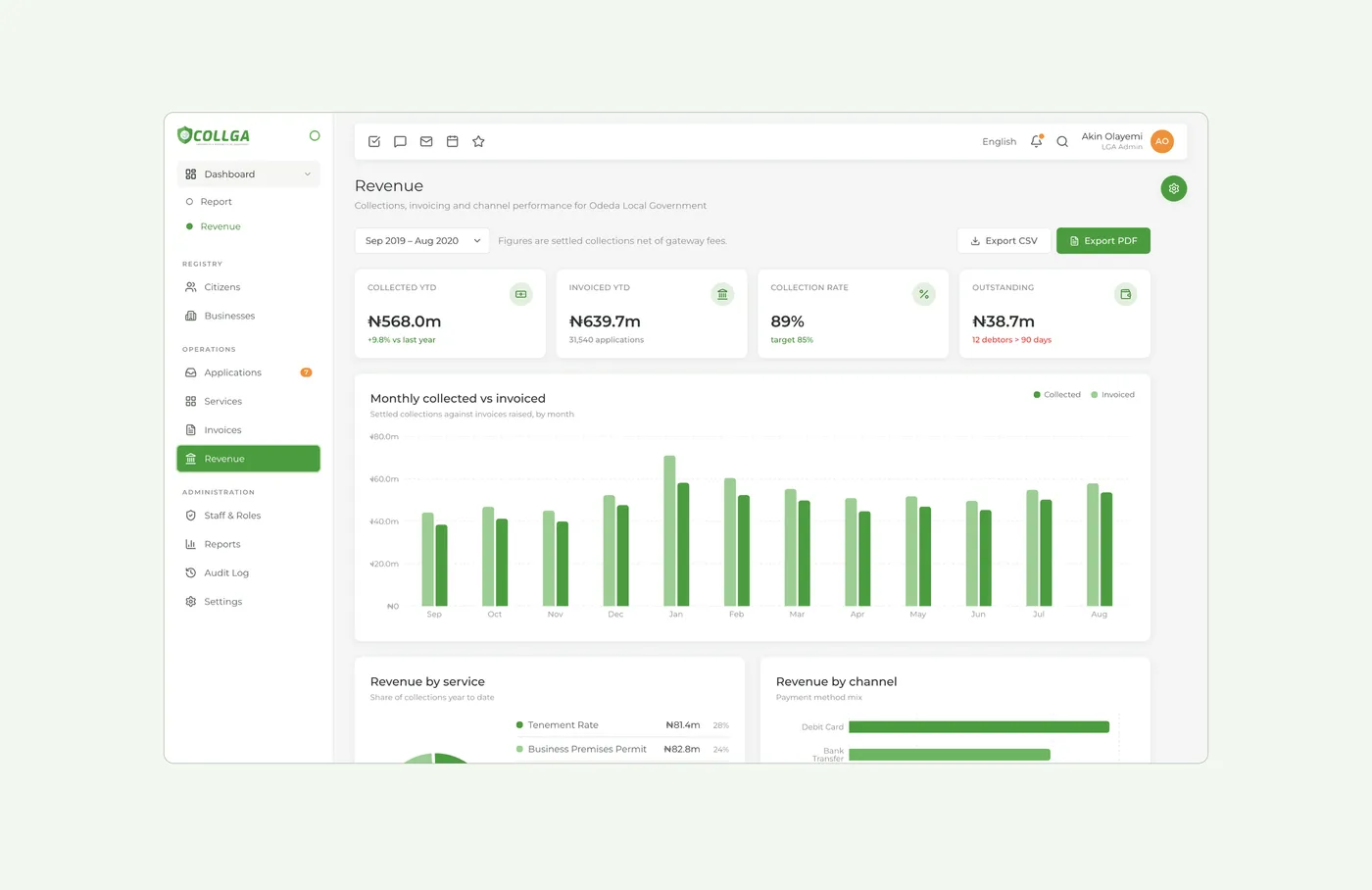
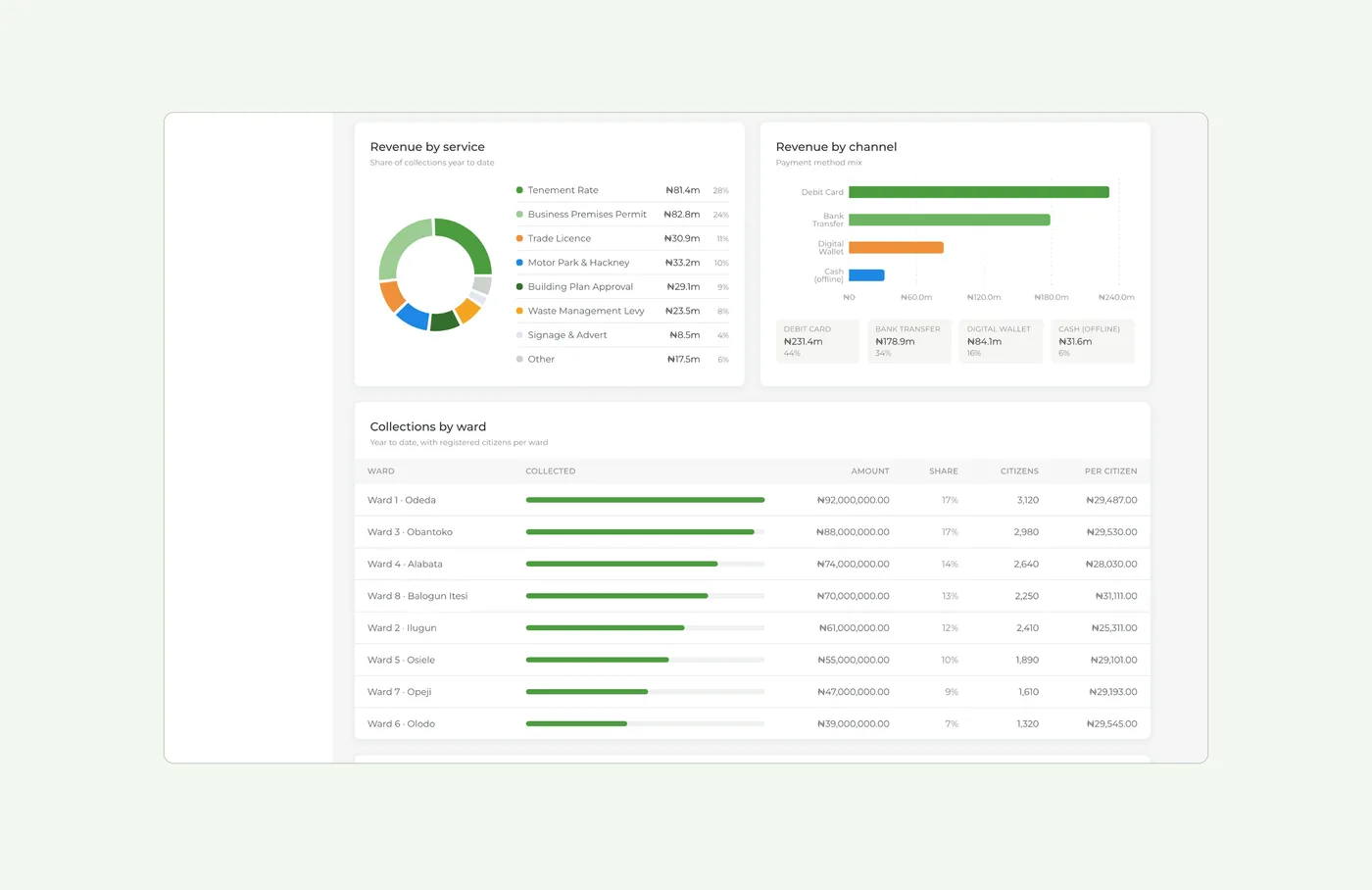
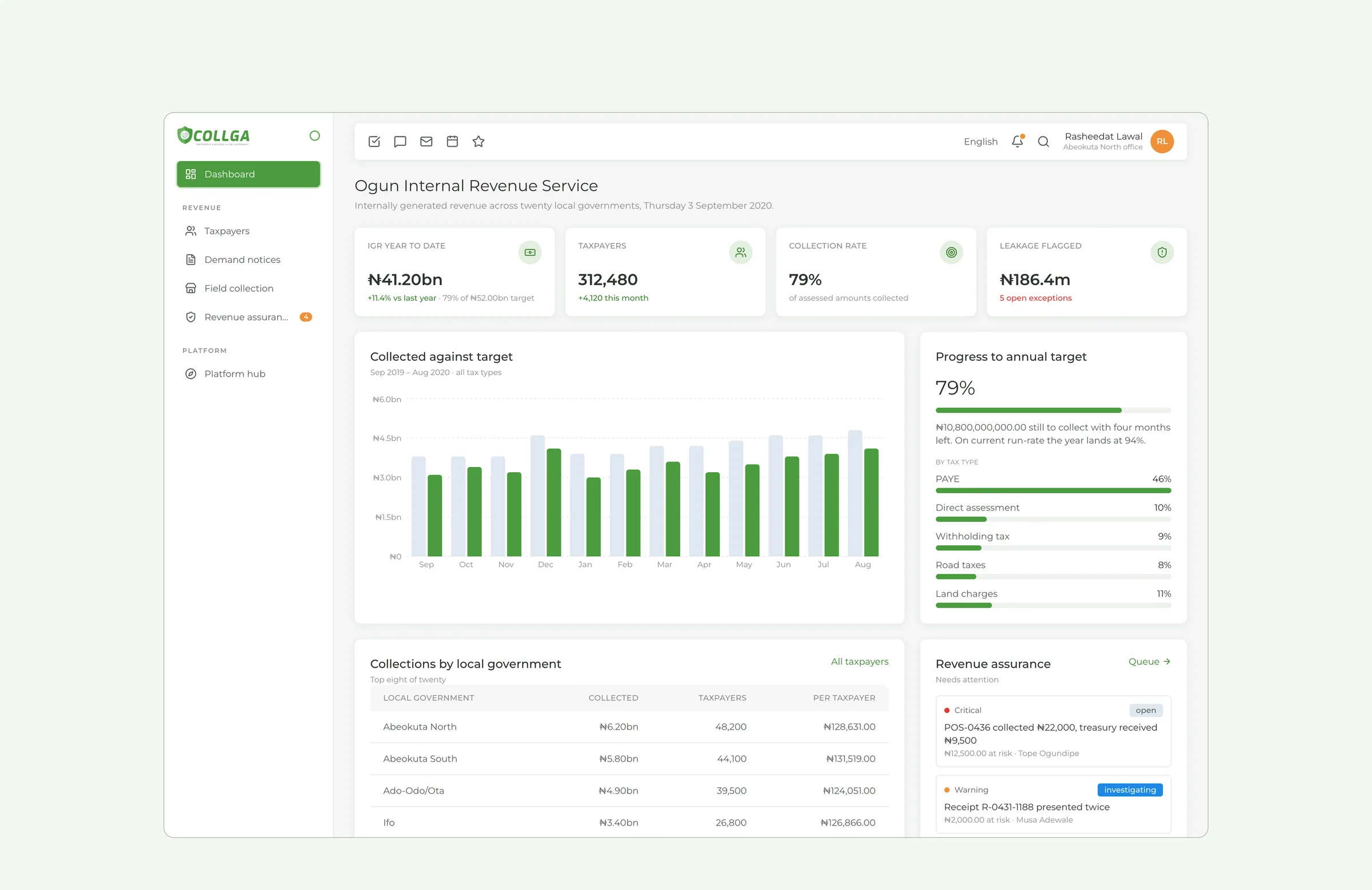
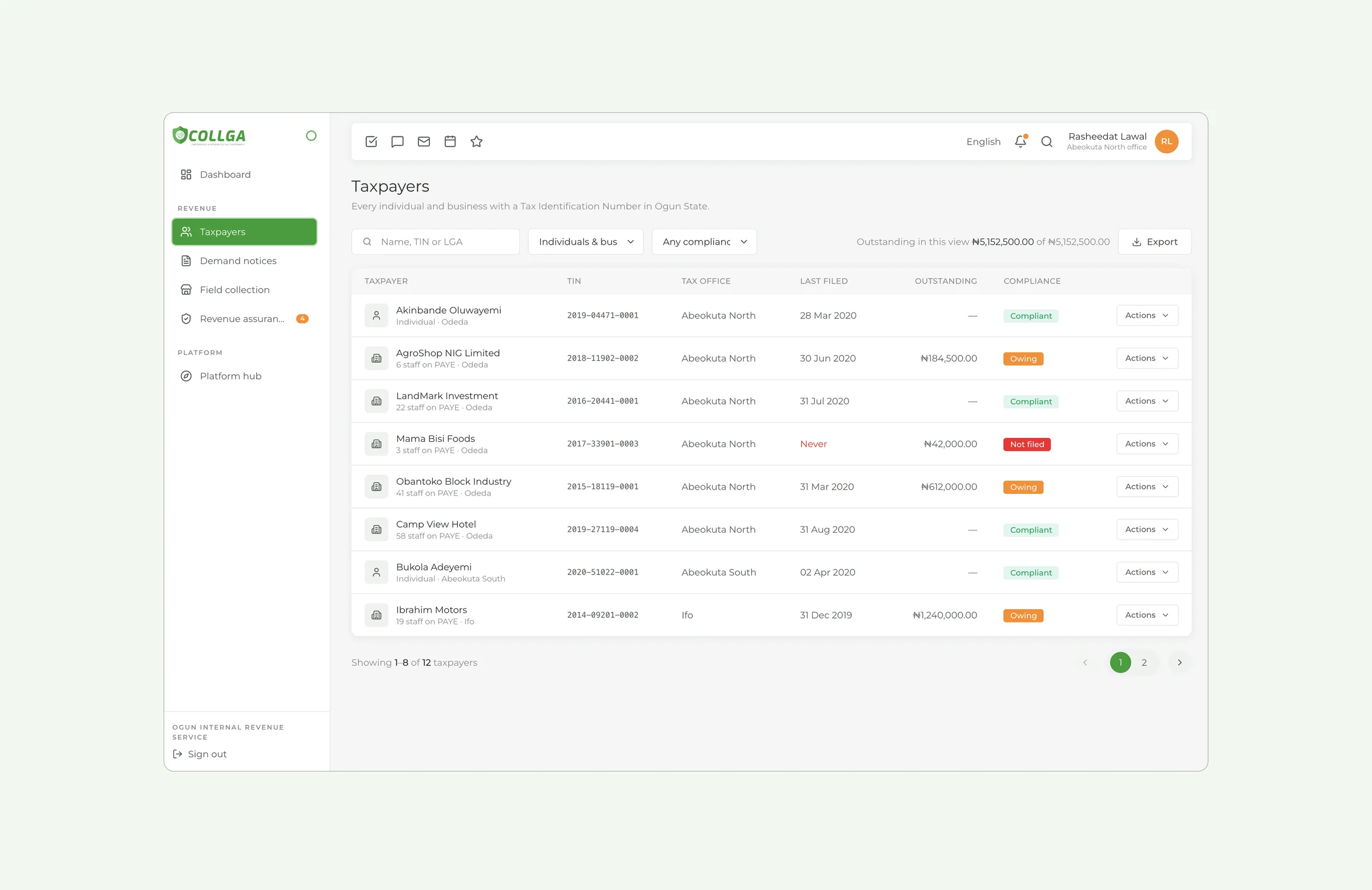
Internal Revenue Service
The state's view: revenue collected against target, by tax type and by local government, plus a registry of every taxpayer with a TIN.
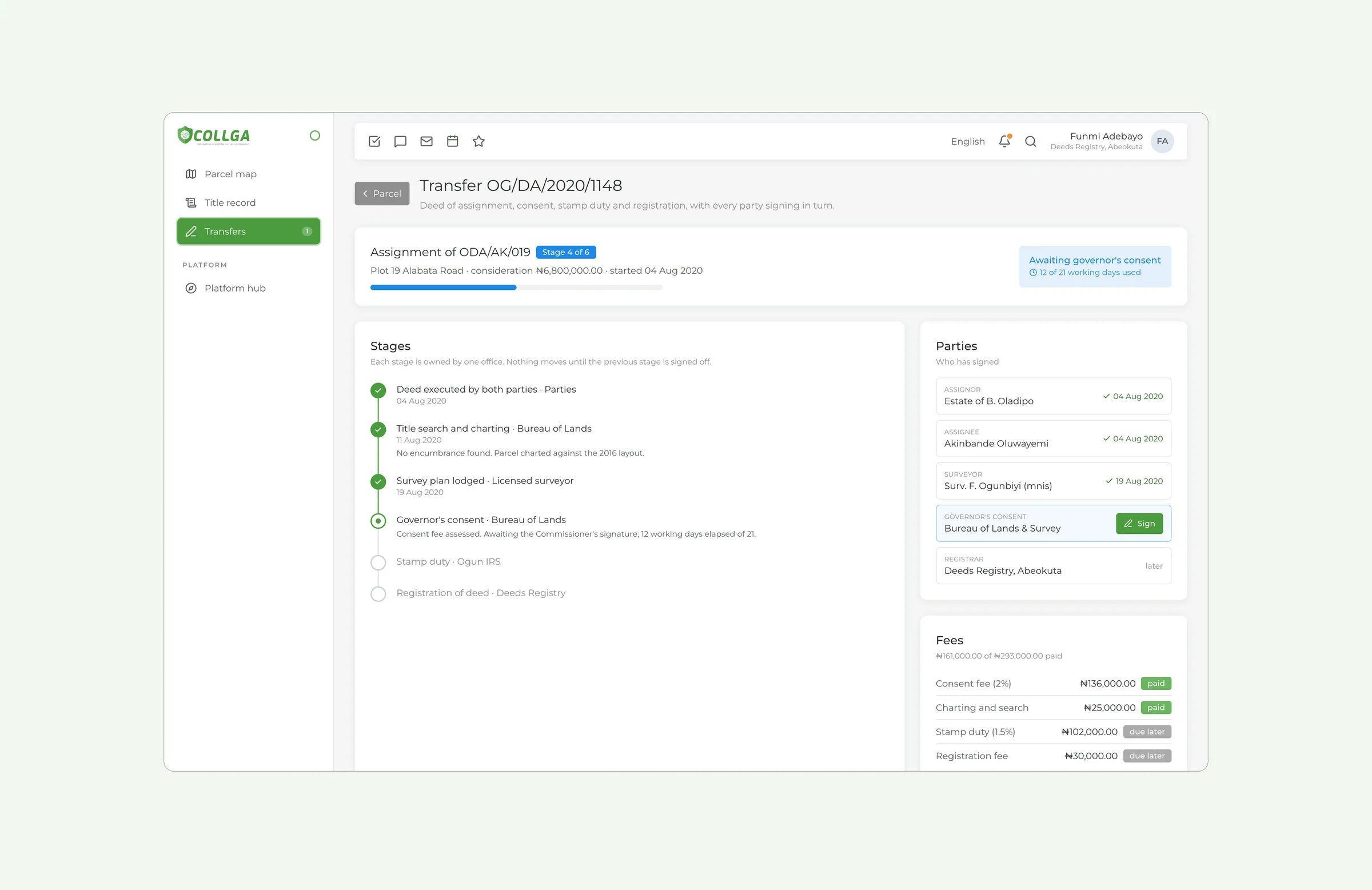
Identity, land and procurement
Consent requests that state their legal basis. A parcel map, title records with their ownership history, and land transfers that each party signs in turn. Tenders are published, and bids stay sealed until the public opening.
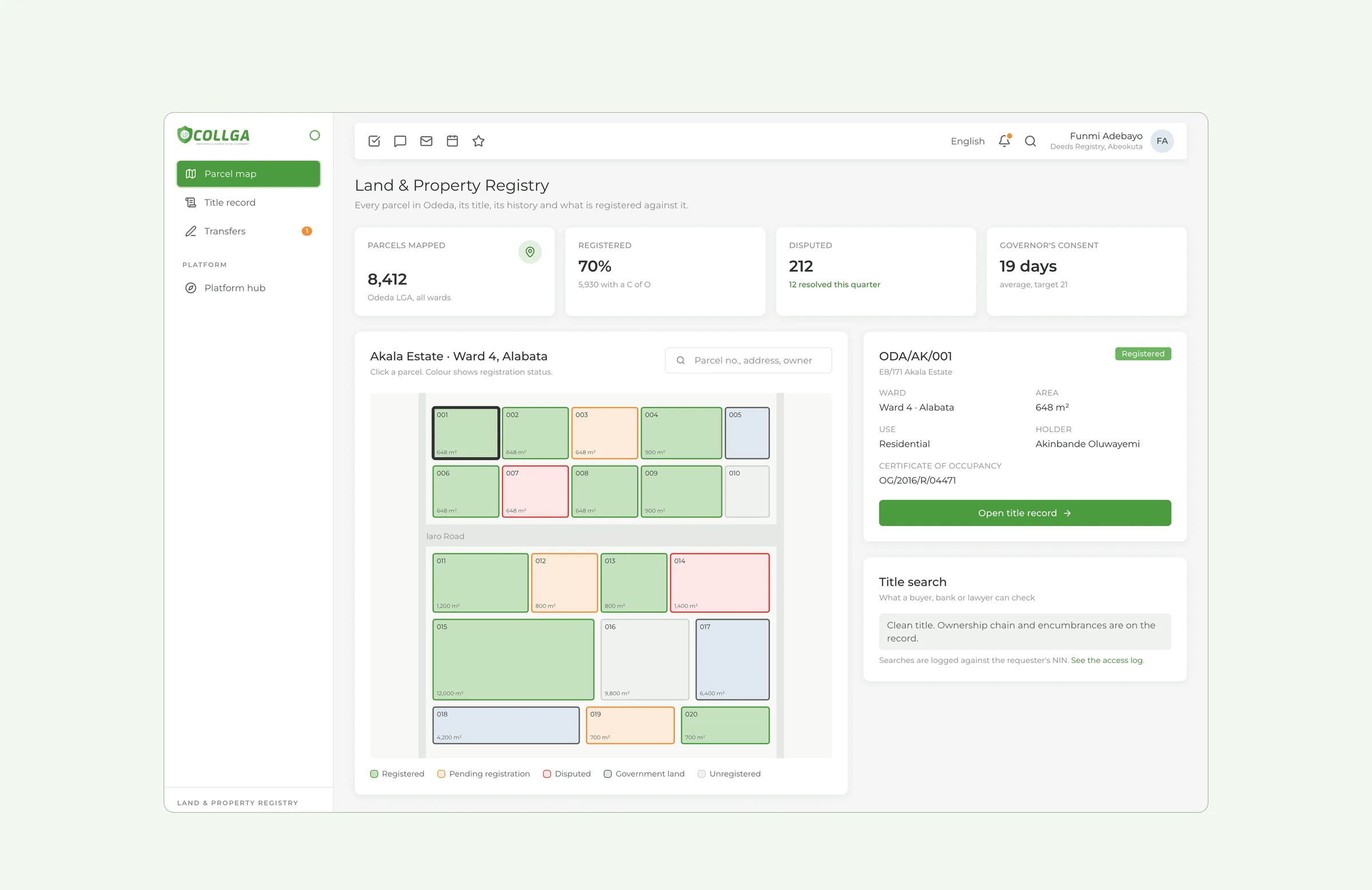
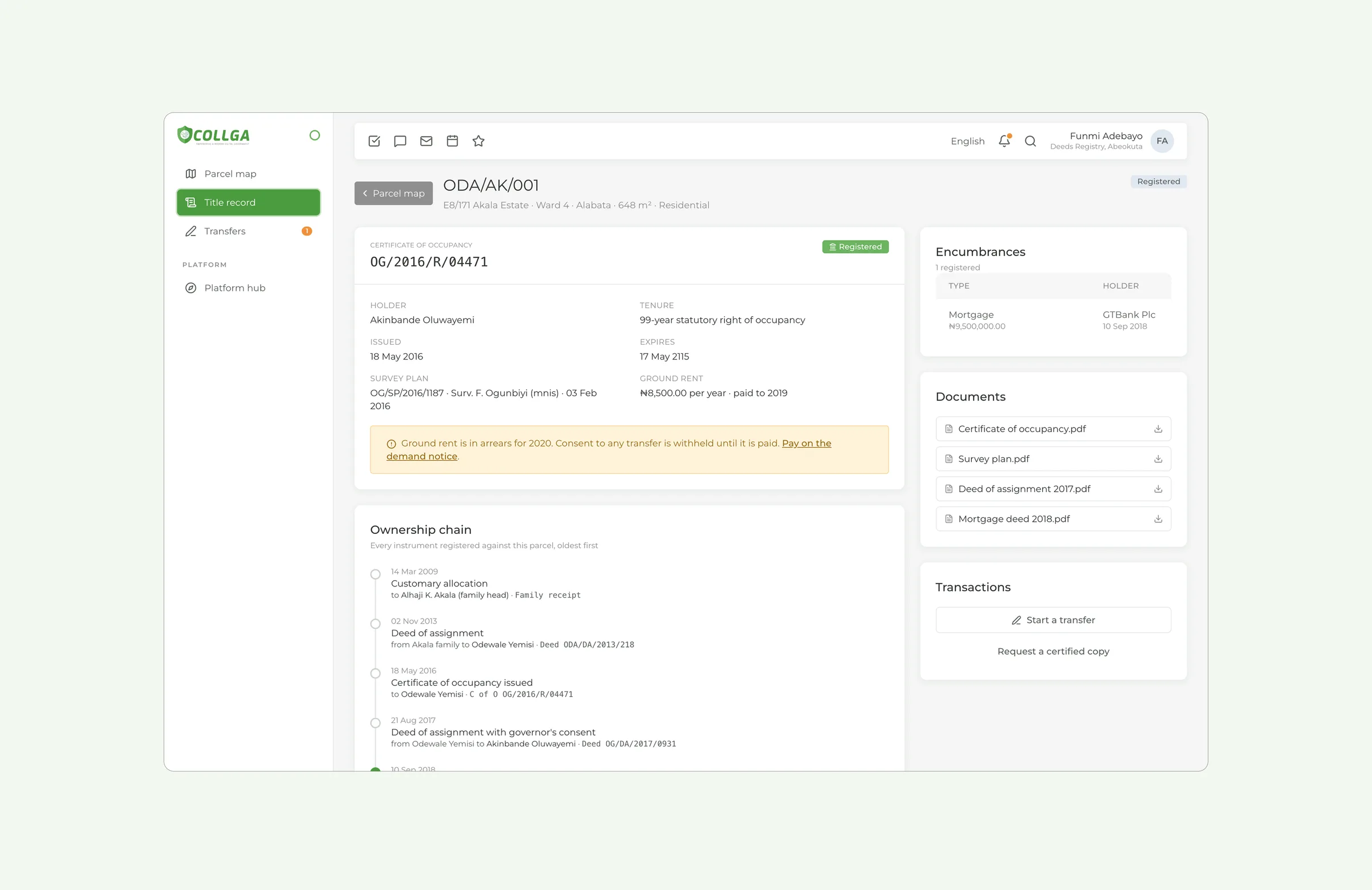
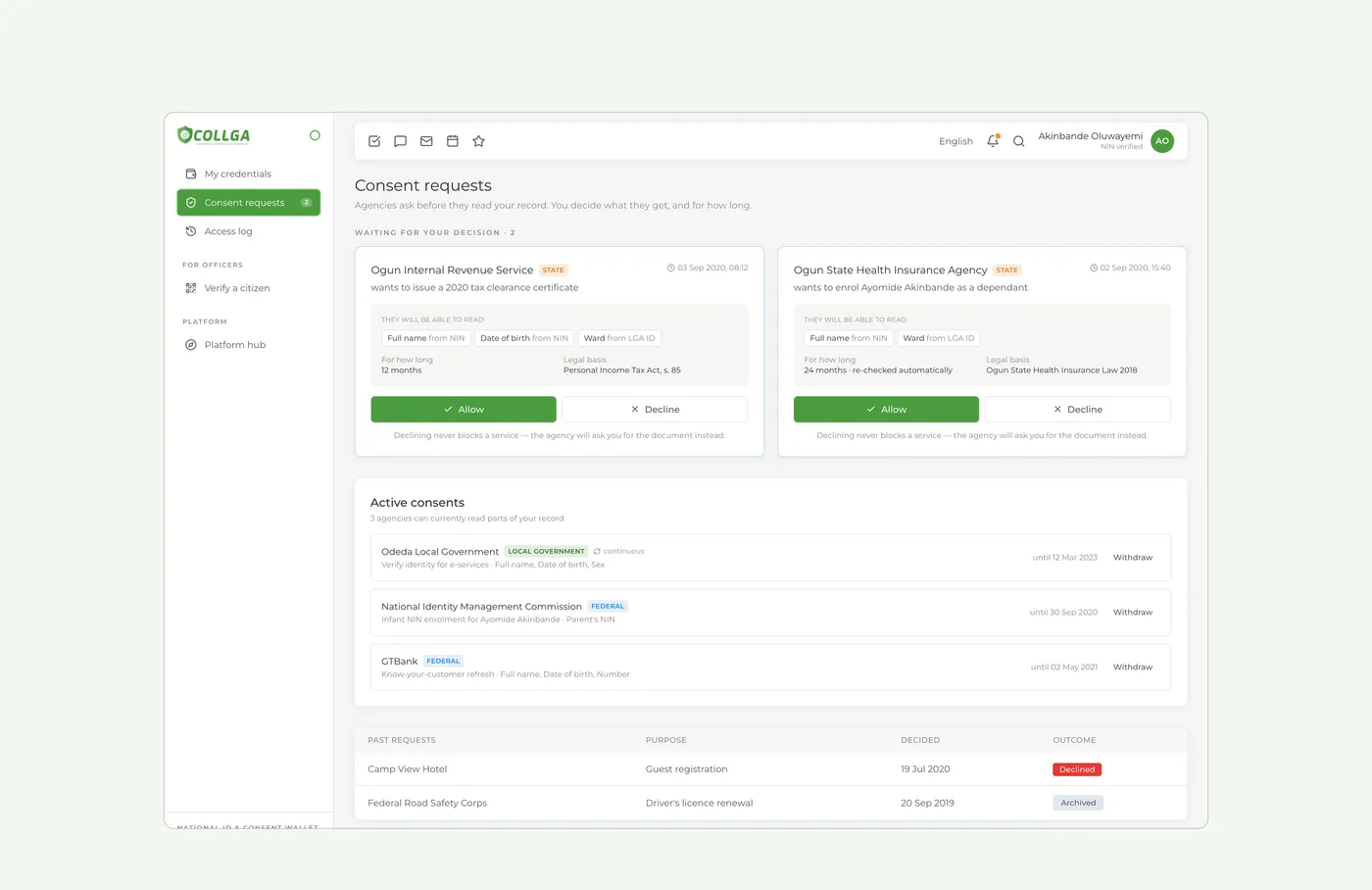
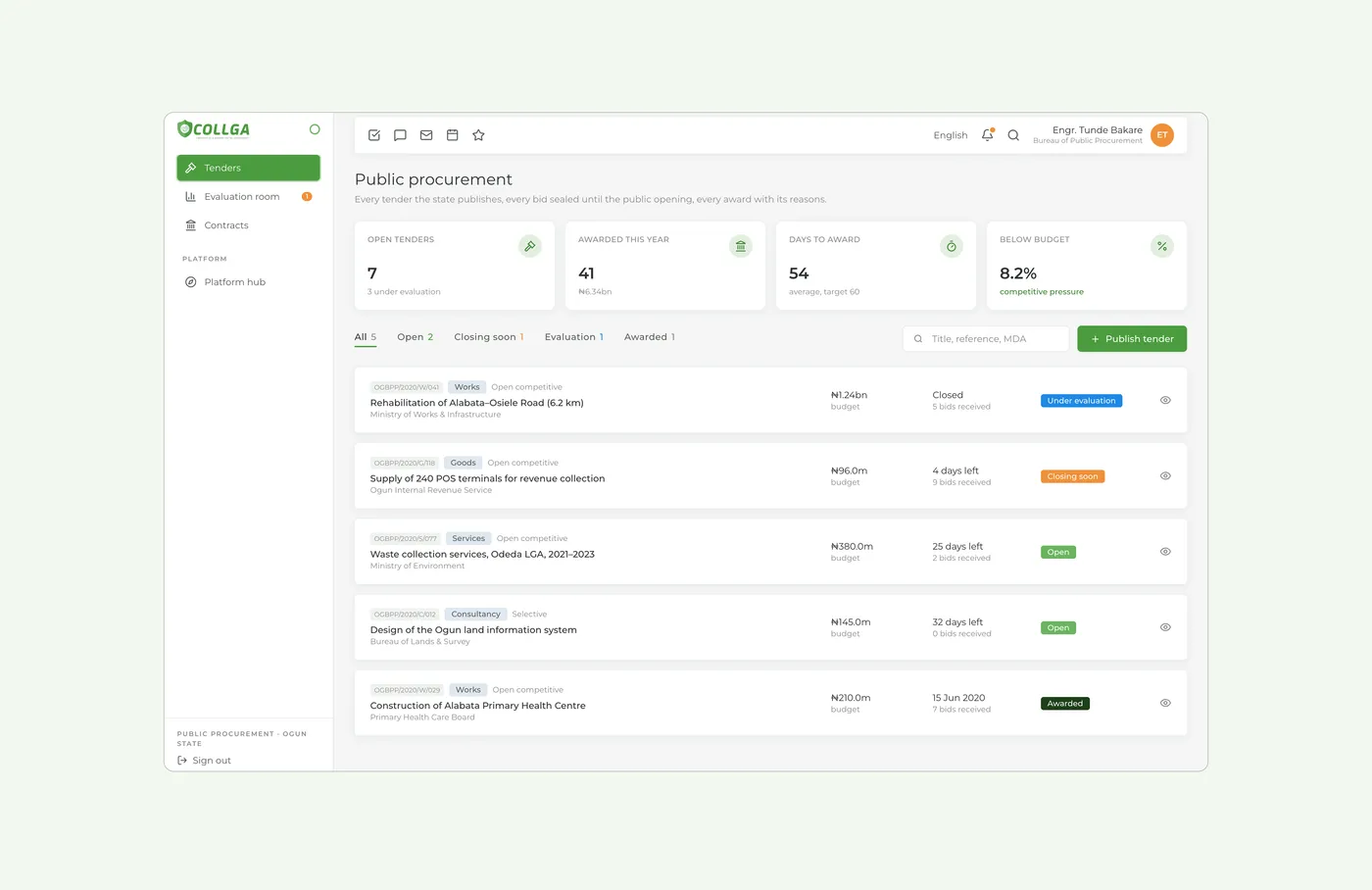
One identity for sixteen systems
Collga Green comes from the shield in the logo. Montserrat is used across the interface, and Roboto for sign-in and long text. Every system shares one layout with its own theme, so sixteen products feel like one government.
- Collga Green#4C9C40Primary actions, active nav, brand
- Leaf#6CB460Light half of the shield, hover
- Forest#1E3F1ADark buttons, issued badges
- Civic Orange#F0913ALanding login, due status
- Info Blue#1E88E5Sent, under review
- Danger Red#E53935Unpaid, overdue, rejected
- Mist#E0E8F0Shield interior, neutral badges
- Ground#F5F6F5Page background
Concept, designed in 2020
The data on every screen is invented but realistic, modelled on how Nigerian state and local government operate: LGA identification numbers, CAC registration, PAYE and tenement rates, governor's consent on land transfers, open-contracting rules.
All work